
Running an online store is exciting, but as your business grows, so do the challenges. Shopify gives you an amazing foundation—simple setup, beautiful themes, and powerful built-in features. Yet every successful store owner eventually reaches a point where they ask:
“How do I make my store look unique… run faster… convert better… and scale without breaking things?”
That’s where a Shopify Developer becomes one of the most valuable partners in your business.

A skilled Shopify developer is more than a coder—they’re a strategist, designer, performance optimizer, and problem-solver who helps transform your store into a high-converting, fully optimized ecommerce machine.
In this guide, you’ll learn everything you need to know about hiring the best Shopify developer for your online store—what they do, why you need one, how much they cost, how to interview candidates, and what a great developer can do to elevate your brand.
Table of Contents
What Is a Shopify Developer (and Why You Need One)
A Shopify Developer is a technical expert who builds, customizes, and optimizes Shopify stores. They work with Shopify’s theme language (Liquid), APIs, and apps to transform a basic storefront into a fast, branded, sales-driven ecommerce experience.
Most store owners hire a Shopify developer for one (or more) of these reasons:
1. Your store needs custom features
Things like custom product pages, advanced filters, or unique checkout behavior often require coding.
2. You want a faster, better-optimized store
A developer can improve performance, Core Web Vitals, and mobile speed—which directly increases conversions.
3. You want your store to “look like your brand,” not like a template
Developers turn generic themes into fully branded custom storefronts.
4. You’re too busy to handle the technical work
As a store owner, your time is better spent on marketing, sourcing, or operations.
5. You want to scale your business
Advanced integrations, automation, custom apps, or headless storefronts require professional development skills.
Shopify Docs
- Theme development → https://shopify.dev/docs/themes
- Liquid reference → https://shopify.dev/docs/api/liquid
Understanding the Role of a Shopify Developer
A Shopify developer’s job is to bring your business vision to life through code, design, and technical optimization. Here’s what their role includes:

✔ Frontend Development
- Customizing themes
- Editing Liquid templates
- Creating banners, sections, and product layouts
- Ensuring mobile responsiveness
- Improving UX/UI design
✔ Backend Development
- App setup & integration
- API connections
- Building custom apps
- Automating workflows
- Creating backend solutions like inventory syncing
✔ Store Optimization
- Speed improvement
- Checkout optimization
- SEO enhancements
- Image compression
- Fixing broken scripts
✔ Ongoing Maintenance
Your store always needs updates—apps change, Shopify updates features, third-party tools evolve.
A great Shopify developer doesn’t just “fix things”—they help your store grow strategically.

Key Responsibilities & Daily Tasks
A professional Shopify developer handles a range of tasks such as:
🔧 Theme Customization
Every store eventually needs adjustments beyond what the theme editor can do. Developers write custom Liquid/HTML/CSS/JS to give your store a professional look.
⚡ Speed Optimization
They remove unused scripts, compress assets, and ensure theme code is lean—improving speed and conversions.
🛠 App Integrations
Developers integrate:
- email marketing platforms
- review systems
- loyalty apps
- shipping apps
- CRM or ERP systems
🛍 Conversion Optimization
They optimize:
- navigation
- product page structure
- checkout options
- upsells & cross-sells
- user flow
🐛 Bug Fixing
Theme conflicts, app issues, broken layouts, and code errors happen. A developer keeps things stable.
📦 Product & Data Setup
product data migration
Developers often help with:
bulk automation
Core Technical Skills Every Shopify Developer Should Have
A strong Shopify developer should be skilled in:
👉 Liquid (Shopify’s template language)
This is essential for customizing themes and creating dynamic content.
👉 HTML, CSS, JavaScript
These form the foundation of every theme.
👉 Shopify CLI
Used for modern theme development and faster workflows.
Docs → https://shopify.dev/docs/themes/tools/cli
👉 Shopify APIs
For advanced functionality or integrations.
Docs → https://shopify.dev/docs/api
👉 App Development
Creating private or public Shopify apps.
👉 UX/UI Design Principles
They should understand CRO (conversion rate optimization) and user behavior.
👉 SEO & Performance
Speed and SEO heavily influence revenue.
Tools & Technologies Used in Shopify Development
A high-level Shopify developer typically uses:
✔ Development Tools
- Shopify CLI
- Git & GitHub
- Theme Inspector
- VS Code
✔ Performance Tools
- Google PageSpeed Insights
- Shopify Speed Insights
- GTMetrix
✔ Design Tools
- Figma
- Adobe XD
✔ Shopify Hydrogen for Headless Stores
Docs → https://shopify.dev/docs/custom-storefronts/hydrogen
✔ Shopify Partner Dashboard
For app and theme development.
🚀 Recommended Shopify Tools & Resources
💼 Recommended Shopify Resources
Hire a Verified Shopify Developer<https://topratedaffi.com/recommends/shopify-developer/>
Shopify Apps for High Conversions<https://topratedaffi.com/recommends/shopify-developer/>
Premium Shopify Themes<https://topratedaffi.com/recommends/shopify-developer/>
Top Shopify Hosting & Tools<https://topratedaffi.com/recommends/shopify-developer/>
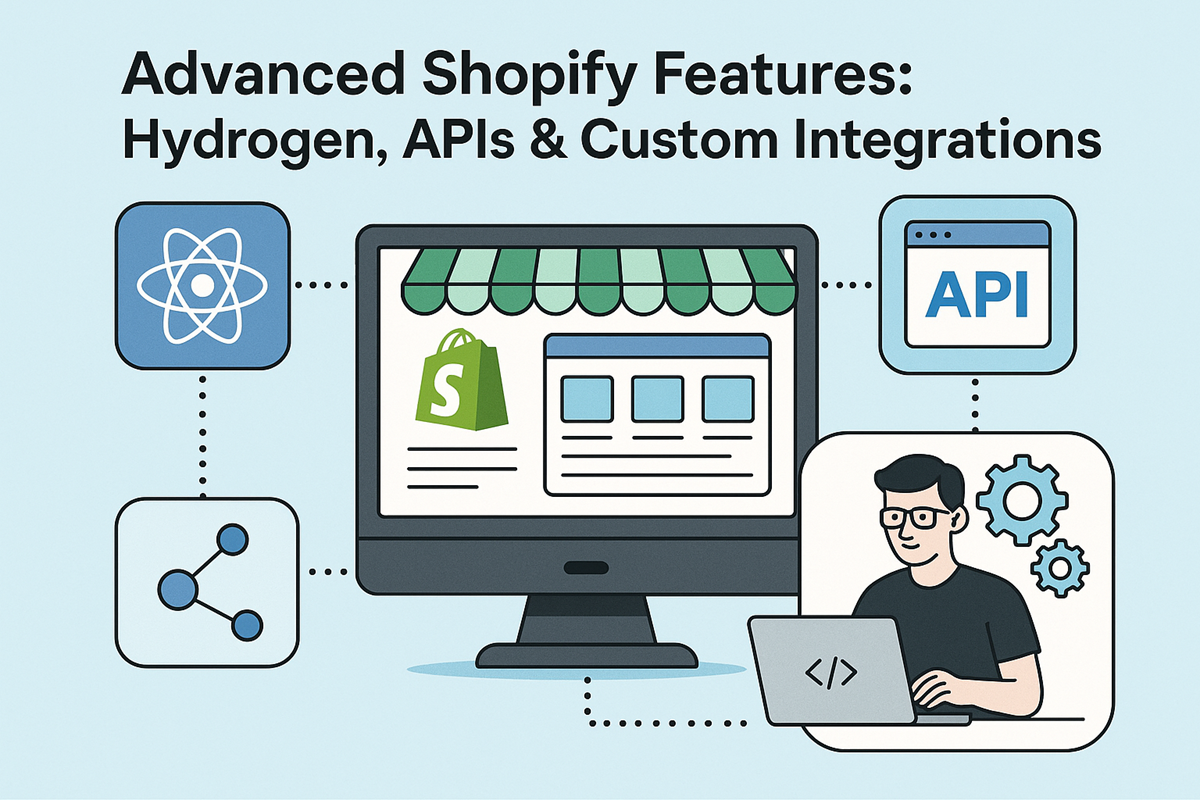
Advanced Shopify Features: Hydrogen, APIs & Custom Integrations
As your business grows, you may want functionality that goes beyond typical themes and apps. This is where an advanced Shopify developer becomes essential.
A skilled developer can help you implement next-level features using Shopify’s modern development tools.
1. Shopify Hydrogen (Custom Storefronts)
Hydrogen is Shopify’s React-based framework for building ultra-fast, fully custom storefronts.
When should a store owner consider Hydrogen?
- You want a fully unique storefront (not based on a theme).
- You need advanced personalization features.
- Your brand requires custom product configurators.
- You have a large store and want headless performance.
Hydrogen enables experiences normal Shopify themes cannot match.
2. Shopify APIs
A developer can connect Shopify to almost anything using its APIs:
- CRM systems
- ERP platforms
- Inventory & fulfillment apps
- Shipping & logistics apps
- Marketing automation tools
- Custom admin dashboards
- Product personalization engines
APIs unlock automation, speed, and data accuracy—crucial for scaling.
3. Custom App Development
If your business needs functions that no app on the Shopify App Store provides, a developer can build:
- private apps
- custom dashboards
- custom checkout extensions
- backend automation tools
- product builder apps
- AI recommendation apps
- custom booking systems
This is where developers deliver real competitive advantages.
4. Third-Party Integrations
An expert Shopify developer can integrate your store with:
- Klaviyo
- Mailchimp
- HubSpot
- ShipStation
- 3rd-party review apps
- Google Shopping
- Meta & TikTok marketing tools
- Custom inventory software
Smooth integrations = less manual work + better customer experience.
How to Hire the Right Shopify Developer
Hiring the right Shopify developer can dramatically transform your store. Here’s how to find a reliable, skilled professional.
1. Define Your Project Scope
Before hiring, list exactly what you need help with:
- store setup
- theme customization
- speed optimization
- custom features
- app development
- ongoing maintenance
This helps developers estimate time and cost correctly.
2. Review Their Past Shopify Work
Look for:
- real ecommerce examples
- custom features they built
- before/after improvements
- store speed scores
- responsive layouts
A good developer will proudly show past results.
3. Check Their Shopify Technical Skills
Make sure they are familiar with:
- Liquid
- HTML/CSS/JavaScript
- Shopify APIs
- Shopify CLI
- Git
- App development
- Hydrogen (optional but valuable)
These are must-have skills for modern Shopify stores.
4. Evaluate Communication
Clear communication = fewer delays.
Choose someone who:
- explains things without jargon
- gives realistic deadlines
- provides updates proactively
- understands ecommerce, not just code
5. Start With a Small Test Task
A small job (like fixing a layout issue or optimizing speed) will immediately reveal:
reliability
their coding style
quality of work
communication skills
metafield setup
Freelancers vs. Agencies: Which Should You Choose?
Both freelancers and agencies can deliver excellent Shopify development—but they fit different needs.
✔ Freelancers (Best for Small to Medium Tasks)
Pros:
- More affordable
- Flexible
- Faster communication
- Great for smaller, simple projects
Cons:
- Limited capacity
- May not cover design + development + marketing
- Availability can vary
Best for:
- theme tweaks
- small custom features
- speed fixes
- ongoing maintenance on a budget
✔ Agencies (Best for Large or Ongoing Projects)
Pros:
- Team of experts (design, dev, marketing)
- Can handle complex builds
- Offers strategy + execution
- Professional workflows and timelines
Cons:
- Higher cost
- More formal communication
- Longer onboarding
Best for:
- full store builds
- redesigns
- custom apps
- long-term store management
Which Should YOU Choose?
If you’re a typical store owner:
- Choose a freelancer for smaller tasks or budget-conscious work.
- Choose an agency for complex projects or brand-level scaling.
10 — Interview Questions to Assess Shopify Expertise
These questions help you instantly identify whether a developer truly understands Shopify.
1. “How familiar are you with Liquid?”
A pro should be highly fluent.
2. “Can you show examples of custom Shopify development you’ve done?”
Look for unique sections, custom scripts, or advanced features.
3. “How do you optimize store speed?”
Look for answers like:
- lazy-loading images
- minimizing JS
- reducing app bloat
- CSS/JS minification
4. “What tools do you use for development?”
They should mention:
- Git
- Shopify CLI
- Theme Inspector
- VS Code
5. “Do you have experience with Shopify API integrations?”
A must if you want automation or custom features.
6. “Can you support ongoing updates?”
Stores evolve. Your developer should too.
TIP:
Ask them to explain a technical concept in simple language.
If they can explain it clearly, they understand it deeply.
11 — Shopify Developer Costs & Project Timeline
Shopify developer pricing varies based on skill level, experience, and region.
Here’s a practical breakdown.
💲 Typical Hourly Rates
| Developer Type | Hourly Rate |
|---|---|
| Beginner | $15–$35/hr |
| Intermediate | $40–$80/hr |
| Expert | $90–$150/hr |
| Agency Team | $100–$250/hr |
🛠 Typical Project Costs
| Project Type | Price Range |
|---|---|
| Basic Store Setup | $500–$3,000 |
| Custom Theme Build | $3,000–$10,000 |
| Full Redesign | $5,000–$20,000 |
| Custom App Development | $5,000–$50,000+ |
| Speed Optimization | $300–$2,000 |
⏳ Project Timelines
| Project | Timeline |
|---|---|
| Small Fixes | 1–3 days |
| Custom Sections | 1–2 weeks |
| Full Store Build | 3–8 weeks |
| Custom App | 1–3 months |
AFFILIATE LINK SUGGESTION
You can promote Shopify-certified services or tools like:
<a href="YOUR-AFFILIATE-LINK" rel="nofollow">Hire Verified Shopify Experts</a>
12 — Common Pricing Models
Shopify developers typically use these pricing structures:
1. Hourly Rates
Best for small fixes or flexible tasks.
2. Fixed Price Projects
Great when your requirements are clearly defined.
3. Monthly Retainers
Ideal for ongoing work such as:
- maintenance
- optimization
- adding new features
4. Value-Based Pricing
Used for high-end custom work where the result has major revenue impact.
13 — Essential Shopify Apps (Must-Have for Growth)
Here are the most useful, high-impact apps store owners should consider.
✔ Email Marketing Apps
- Klaviyo
- Omnisend
✔ Review Apps
- Judge.me
- Yotpo
✔ Upsell & Cross-Sell Apps
- ReConvert
- Bold Upsell
✔ Loyalty & Rewards Programs
- Smile.io
- LoyaltyLion
✔ SEO & Speed
- TinyIMG
- SEO Manager
Hiring a developer ensures app setup is clean and optimized—not bloated.
14 — Recommended Shopify Themes
These themes offer speed, flexibility, and modern design.
1. Dawn (Free)
Fast, clean, great for beginners.
2. Impulse
High-converting, excellent for fashion and lifestyle stores.
3. Motion
Smooth animations, premium visuals.
4. Debutify
Feature-rich and customizable.
5. Refresh
Another strong free option.
Docs :
https://shopify.dev/docs/themes
How a Skilled Shopify Developer Elevates Your Brand
A great developer doesn’t just “build a site.”
They elevate your business by improving:
✨ Brand Identity
Custom design that matches your voice and style.
⚡ Performance
Faster load times = more conversions.
📈 Customer Experience
Smooth navigation, cleaner product pages, easier checkout.
🔄 Automation
Less manual work for you and your team.
💰 Revenue
A well-optimized store always converts more visitors into buyers.
Frequently Asked Questions (FAQs)
1. Do I really need a Shopify developer?
If you want custom features, better speed, or a unique brand experience—yes.
2. Can I customize my store without coding?
To a point, yes. But custom features require a developer.
3. How much does a Shopify developer cost?
Anywhere from $20/hr to $150/hr depending on experience.
4. Should I choose a freelancer or agency?
Freelancer = small tasks.
Agency = large, complex projects.
5. How long does a custom store take?
Typically 3–8 weeks.
Hiring the right Shopify developer is one of the best investments you can make for your online store. Whether you need design improvements, custom features, speed optimization, or advanced integrations, a skilled developer helps you:
- build a more professional brand
- improve conversions
- scale your operations
- future-proof your business
To get started, you can browse verified Shopify experts, compare portfolios, and choose the right developer for your needs.
Affiliate Disclosure:
As a Shopify Partner, I may earn a commission from qualifying purchases made through affiliate links in this article—at no extra cost to you.