
Shopify app development has grown into one of the most profitable and opportunity-rich fields in modern eCommerce. With over 2 million Shopify merchants and a rapidly increasing demand for specialized tools, developers who can build high-quality Shopify apps have unlimited potential — whether you’re creating custom solutions for clients or publishing your own commercial app on the Shopify App Store.
This complete guide covers everything you need to know to plan, build, launch, and scale a Shopify app — including tools, monetization systems, SEO optimization, and marketing strategies.
Table of Contents
1. Why Shopify App Development Matters for Your Online Business
Shopify provides an exceptional foundation for eCommerce, but real power comes from apps that extend functionality, automate operations, improve customer experience, and unlock new revenue channels.
How Shopify Apps Transform a Business
Shopify apps enable merchants to:
✔ Automate Repetitive Tasks
- Inventory syncing
- Order processing
- Customer segmentation
- Abandoned cart workflows
✔ Enhance Marketing & Sales
- Upsells & cross-sells
- A/B testing
- Loyalty programs
- Email or SMS marketing integrations
✔ Improve User Experience
- Custom product builders
- Real-time shipping calculators
- Store personalization
✔ Scale Business Operations
As a store grows, apps assist with:
- Bulk product editors
- Multi-store data synchronization
- Advanced analytics dashboards
✔ Solve Unique Merchant Needs
Every business has workflows that fall outside Shopify’s default features — apps fill those gaps.
To learn more about Shopify’s app building framework, visit the official
Shopify Developer Documentation: https://shopify.dev
2. Types of Shopify Apps: Public, Custom & Private
Shopify supports multiple app types depending on your audience, goals, and required level of integration.
1. Public Apps
Public apps are available directly on the Shopify App Store, accessible to millions of merchants.
Best For:
- Developers seeking recurring revenue
- SaaS entrepreneurs
- Agencies building commercial solutions
Benefits:
- Large potential customer base
- Subscription-based monetization
- Excellent scalability
- Ability to grow into a full SaaS brand
💡 Join the Shopify Partner Program to publish your own public apps.
2. Custom Apps
Custom apps are built for one merchant (your client) and installed manually — they are not listed on the App Store.
Best For:
- Agencies working with clients
- Businesses needing unique internal solutions
- Private workflows
Examples of Custom App Use Cases:
- Custom warehouse systems
- Specific product configurators
- Specialized analytics dashboards
- Third-party system integrations
Custom apps allow more flexibility and are faster to develop because they don’t require App Store approval.
3. Private Apps (Legacy)
Private apps are an older system Shopify is phasing out.
They were used for deep internal store integrations but lacked modern security and performance standards.
→ Shopify now recommends building Custom Apps instead.
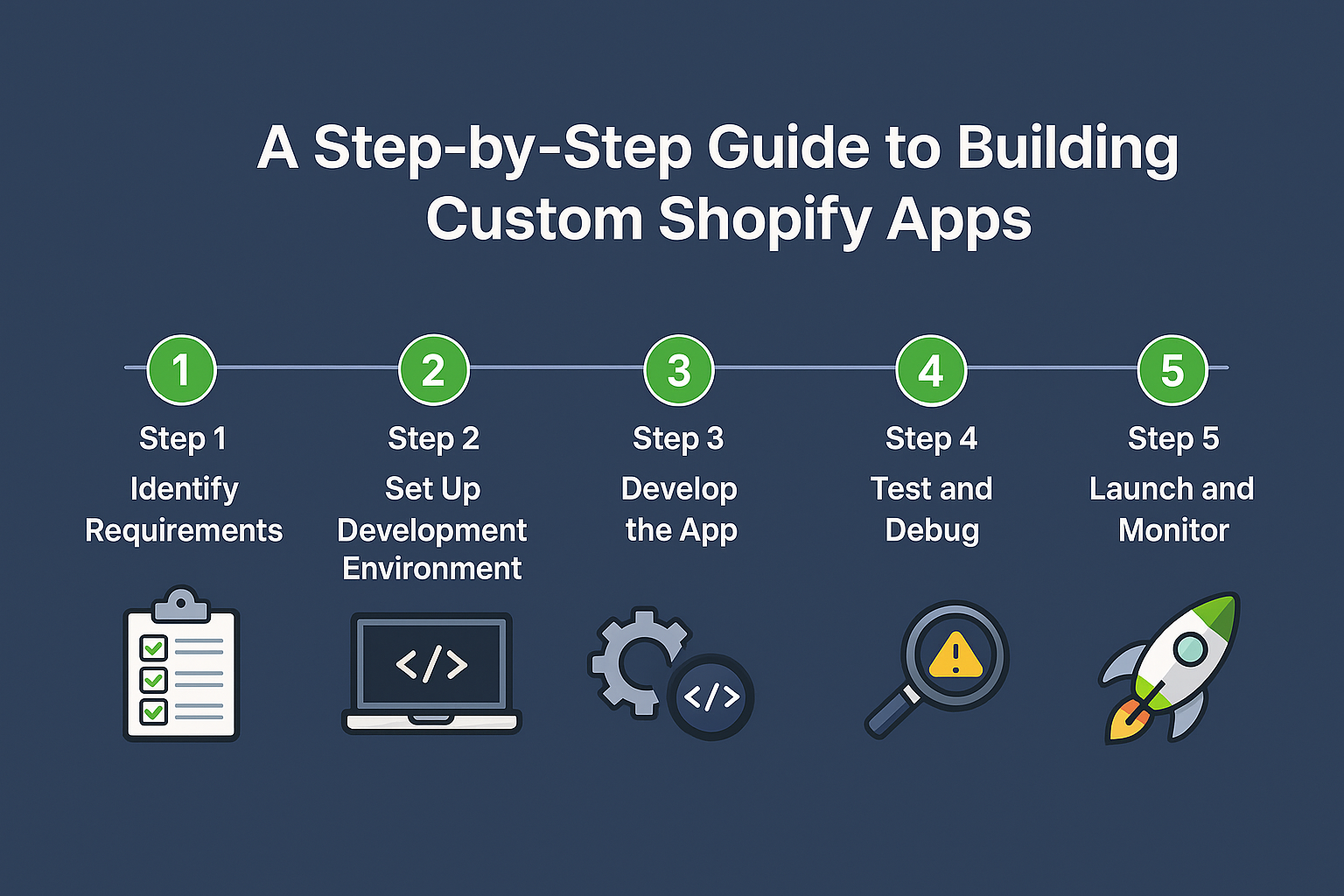
3. Step-by-Step Guide to Building a Shopify App (Full Development Workflow)
This section provides a complete breakdown of the entire Shopify app development lifecycle, from idea to publishing to scaling.
1. Define Your App Idea and Purpose
Start with clarity.
Ask these questions:
- What problem does your app solve?
- Who is your target audience? (Merchants, marketers, developers, agencies)
- Are similar apps already succeeding?
- What differentiates your solution from existing competitors?
How to Validate Your Idea
✔ Explore the Shopify App Store
✔ Read merchant reviews
✔ Identify pain points competitors fail to solve
✔ Participate in Shopify developer communities
✔ Survey existing clients or merchants
Market gaps are your biggest opportunity.
2. Set Up the Shopify Development Environment
To begin building, you need:
- Shopify Partner Account (Free)
- Development store
- Shopify CLI
- Tech stack setup
- Local environment for coding
Recommended Stack
- Node.js – backend
- React – frontend
- Next.js – routing, server rendering
- GraphQL – fast Shopify API queries
- Polaris – official UI components
Hosting
- Vercel
- Render
- Heroku
- AWS
⚡ Tip: Use high-speed hosting like Hostinger for fast app deployments.
3. Choose the App Type
Your choice affects API access, installation method, and monetization model.
You must decide between:
- Public apps
- Custom apps
- Private apps (legacy)
Each has specific installation rules and Shopify API access scopes.
4. Design the User Interface (UI/UX)
Use the Polaris Design System to keep your app visually consistent with Shopify’s admin interface.
UI Principles for Shopify Apps
- Clean, minimal layout
- Clear navigation
- Fast load time
- Mobile-responsive screens
- Accessibility compliance
→ Merchants value clarity and speed over fancy visuals.
5. Integrate with Shopify APIs
Your app must interact with store data securely and efficiently.
Key Shopify APIs
- REST Admin API
- GraphQL Admin API
- Storefront API
- Webhooks API
- Shopify Billing API
Core Features You May Build
- Product management tools
- Customer insights dashboards
- Marketing automation
- Inventory optimizers
- AI-powered recommendation engines
Security Essentials
- OAuth 2.0
- App proxy setup
- Token validation
- Scoped permissions
6. Test the App Thoroughly
Testing is mandatory before public release.
Test Types
- Functional testing
- API rate limit testing
- UI/UX testing
- Mobile & tablet testing
- Performance tests
- Data integrity tests
- Billing workflow tests
Use Shopify development stores for safe testing.
7. Set Up Billing & Monetization
If you plan to publish publicly, integrate Shopify Billing API.
Monetization Options
- Free plan
- Free trial
- Recurring subscriptions
- One-time purchases
- Usage-based charges
Tools for Revenue Tracking
- ChartMogul
- Stripe analytics
- Baremetrics
8. Submit to the Shopify App Store
Shopify has strict requirements for app approval.
Prepare the Following:
- High-quality screenshots
- Polished app interface
- Clean code
- App Store–optimized description
- Support documentation
- Privacy policy
- Demo store or video
Shopify reviews your app’s security, performance, and merchant value.
9. Maintain and Update Your App
After launch, the real work begins.
Essential Ongoing Work
- Bug fixes
- Feature updates
- Compatibility checks with Shopify updates
- Customer support
- Performance monitoring
Frequent updates also improve your App Store ranking.
Developers who want to publish apps or offer services should join the
Shopify Partner Program: https://www.shopify.com/partners
4. Best Tools & Technologies for Shopify App Developers
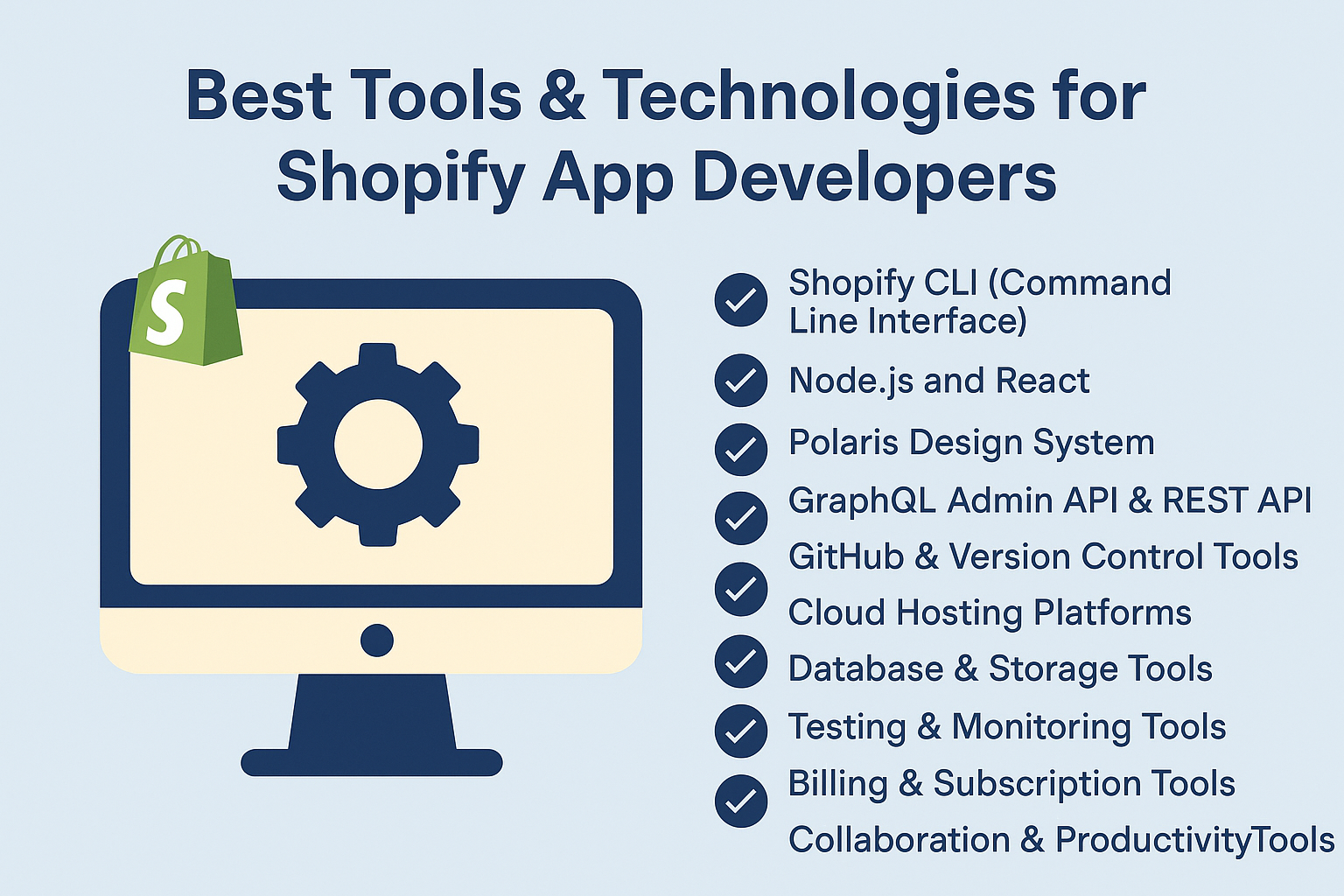
Here is the complete toolkit for professional Shopify app development.
👉 Recommended Service: Build a high-converting Shopify store with a certified expert:
https://topratedaffi.com/recommends/shopify-app-developer/
1. Shopify CLI
The official tool for:
- Creating new app projects
- Authenticating stores
- Running development servers
- Deploying extensions
2. Node.js & React
Shopify recommends this stack.
Why Node.js?
- Fast API handling
- Excellent ecosystem
- Works well with GraphQL
Why React?
- Component-based architecture
- Works with Polaris UI
- High performance
3. Polaris Design System
Polaris provides ready-to-use components like:
- Tables
- Buttons
- Forms
- Modals
- Layouts
This ensures consistency and speeds up development.
4. Shopify APIs: GraphQL & REST
Use GraphQL for:
- Fast data fetching
- Complex queries
- Reducing API calls
REST is still useful for specific endpoints.
5. GitHub & Version Control
GitHub enables:
- Collaboration
- CI/CD automation
- Code versioning
- Automatic deployments
6. Cloud Hosting
Recommended options:
- Vercel
- Netlify
- Render
- Heroku
- AWS
Choose one based on scale and budget.
7. Databases & Storage
Top choices:
- PostgreSQL
- MySQL
- MongoDB
- Firebase
- Supabase
Secure and scalable data storage is essential.
8. Testing & Monitoring Tools
Use tools such as:
- Jest
- Cypress
- LogRocket
- Sentry
These ensure performance and reliability.
9. Billing & Subscription Tools
- Shopify Billing API
- Stripe analytics
- ChartMogul
10. Productivity & Collaboration Tools
- Slack
- Trello
- Notion
- Asana
- Jira
5. Tips to Optimize and Market Your Shopify App Successfully
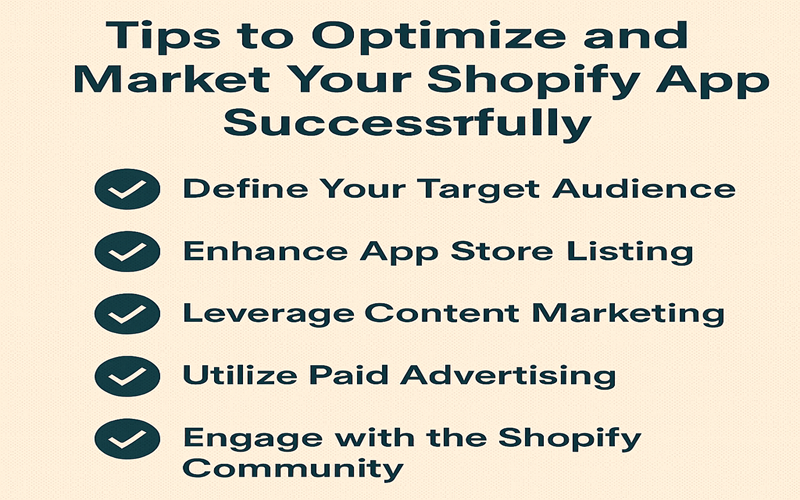
Building the app is only the beginning — marketing determines your success.
1. Optimize Your App Store Listing
Your listing must include:
- SEO-rich description
- High-quality screenshots
- Demo video
- Social proof
- Clear feature breakdown
2. Focus on SEO & Keywords
Use keywords such as:
- “Shopify analytics app”
- “Shopify upsell app”
- “Shopify custom app development”
Place them in:
- Title
- Subtitle
- App description
- Tags
- Image alt text
3. Offer Free Trials & Incentives
Free trials reduce friction and increase conversions.
4. Collect & Showcase Reviews
Reviews boost:
- Ranking
- Trust
- Conversion rate
Always respond to feedback.
5. Content Marketing
Publish:
- Blogs
- Tutorials
- Case studies
- YouTube videos
- How-to guides
Organic traffic converts extremely well.
6. Run Paid Promotions
Use:
- Google Ads
- Facebook Ads
- TikTok Ads
- Influencer partnerships
Target Shopify merchants specifically.
7. Build an Email List
Use emails for:
- Feature announcements
- Promotions
- Product education
- Onboarding sequences
8. Monitor & Improve Performance
Track:
- Installs
- DAU / MAU
- Churn
- User flow
- Feature usage
Data-driven decisions outperform guesswork.
9. Engage With the Shopify Community
Participate in:
- Shopify forums
- Slack communities
- Developer events
- Partner groups
Networking brings collaborations and referrals.
10. Update Your App Consistently
Shopify evolves rapidly — staying updated improves:
- Reliability
- App Store ranking
- Merchant satisfaction
6. Why Choose Our Platform for Shopify Development
By choosing our platform, you gain access to:
✔ Developer tools
✔ Time-saving integrations
✔ Marketplace-ready workflows
✔ High-performance hosting options
✔ Educational resources
✔ A community of professional Shopify developers
Whether you’re a freelancer, agency, or SaaS entrepreneur, our platform accelerates development and helps you build better apps faster.
7. Conclusion
Shopify app development offers unlimited potential — whether you’re solving problems for individual clients or launching a global SaaS product. By following the steps, tools, strategies, and optimization techniques in this guide, you’re equipped to build powerful apps that scale and deliver real value.
With millions of merchants depending on apps daily, the opportunity has never been greater.
8. Disclosure
This post contains affiliate links. If you make a purchase through them, I may earn a commission — at no extra cost to you.
📌 Shopify App Development – FAQs (Rank Math Rich Snippet Ready)
1. What is Shopify app development?
Shopify app development refers to the process of building apps that extend the functionality of Shopify stores. Developers create apps to automate tasks, integrate third-party services, improve marketing and sales, enhance customer experience, or build custom workflows for merchants. Apps can be public (App Store), custom (for a single store), or private (legacy).
2. How do I start building a Shopify app?
To start, create a Shopify Partner account, set up a development store, install the Shopify CLI, and choose a tech stack such as Node.js, React, and GraphQL. From there, you can scaffold your project, authenticate store access via OAuth, and begin coding your app’s backend and frontend features.
3. What programming languages are used for Shopify apps?
Most modern Shopify apps use:
- Node.js (JavaScript) for backend
- React with Polaris for frontend
- GraphQL or REST APIs for store data
However, you can also build apps using Ruby, PHP, Python, or any language capable of handling OAuth authentication and API requests.
4. What are the different types of Shopify apps?
Shopify supports three app types:
- Public apps: Listed on the Shopify App Store
- Custom apps: Built for a single merchant
- Private apps (legacy): Older internal-use apps now being replaced by custom apps
Each type serves different use cases based on audience and required features.
5. How much does it cost to build a Shopify app?
The cost varies widely depending on complexity:
- Simple custom apps: $500 – $2,000
- Medium-level apps with automation: $2,000 – $10,000
- Full SaaS-style public apps: $10,000 – $80,000+
DIY development is free besides hosting, domain, and optional paid tools.
6. Do I need a Shopify Partner account to build apps?
Yes. A Shopify Partner account is required for:
- Accessing dev stores
- Submitting public apps
- Earning revenue through app subscriptions
- Using Shopify tools such as the Shopify CLI
The account is free to create.
7. Can I earn money by creating Shopify apps?
Absolutely. You can generate revenue through:
- Monthly subscriptions
- One-time purchases
- Usage-based billing
- Affiliate income
- Custom development services
Some developers earn six- and seven-figure incomes from Shopify apps.
8. How do I publish a Shopify app on the App Store?
To publish, you must:
- Build your app using Shopify’s guidelines
- Ensure secure OAuth and API permissions
- Prepare screenshots, demo videos, and description
- Set up Billing API (if monetized)
- Submit for Shopify’s review
- Pass security and functionality checks
Once approved, your app becomes available to millions of merchants.
9. How long does Shopify app approval take?
App review typically takes 7–14 business days, depending on complexity and whether changes are required. Apps with strong documentation, clean UI, and proper permissions are approved faster.
10. What is the Shopify Billing API?
The Shopify Billing API allows developers to charge merchants for using their apps. You can create:
- Recurring subscriptions
- One-time charges
- Usage-based billing
- Free trials
All payments are securely processed through Shopify.
11. Can I build a Shopify app without coding?
You can create simple automations using no-code tools like Zapier, Make, or Shopify Flow, but fully functional apps — analytics, marketing tools, custom dashboards, integrations — require coding knowledge.
12. What is Polaris in Shopify app development?
Polaris is Shopify’s official design system, offering prebuilt React components, UI patterns, accessibility standards, and design guidelines. It helps ensure your app looks consistent with the Shopify admin.
13. Is Node.js required for Shopify app development?
Not required, but strongly recommended. Shopify’s official documentation, CLI tools, templates, and examples are optimized for Node.js. You may still use other languages if they support OAuth and API communication.
14. What APIs does Shopify offer for app developers?
Shopify provides:
- GraphQL Admin API
- REST Admin API
- Storefront API
- Webhooks API
- ScriptTag API (legacy)
These APIs allow apps to manage products, orders, customers, analytics, and more.
15. How do I test a Shopify app before launch?
Use:
- Shopify development stores
- Automated testing (Jest, Cypress)
- API rate limit tests
- Performance & UX tests
Shopify also gives you a special “review” store for App Store submissions.
16. How do Shopify apps make money?
Most developers monetize apps through:
- Monthly subscriptions
- Tiered pricing plans
- One-time setup fees
- In-app upgrades
- Usage-based billing
Public apps often become recurring revenue businesses.
17. Are Shopify apps safe?
Yes — as long as developers follow best practices. Shopify enforces strict guidelines for:
- OAuth authentication
- API scopes
- Data protection
- Billing security
App Store reviews ensure apps meet safety standards before listing.
18. What skills do I need to become a Shopify app developer?
Recommended skills include:
- JavaScript / Node.js
- React & Polaris
- REST/GraphQL APIs
- OAuth 2.0
- Database management
- Cloud hosting
Knowledge of Shopify themes and Liquid is helpful but not required.
19. How long does it take to build a Shopify app?
Development time depends on complexity:
- Simple internal tools: 1–3 weeks
- Medium apps with several features: 1–2 months
- Full public SaaS apps: 3–6+ months
Testing and App Store review may add extra time.
20. Should I build a public app or a custom app?
Choose based on your goals:
- Public app: best for recurring revenue
- Custom app: ideal for agencies and client work
Public apps reach more merchants but require more development and marketing effort.
21. Can Shopify apps integrate with external platforms?
Yes. Apps can integrate with:
- CRMs
- Payment gateways
- Marketing platforms
- Shipping services
- Accounting software
- ERP systems
As long as the external platform supports API communication, integration is possible.
22. What is the earning potential for Shopify app developers?
Shopify reports that partner developers have earned billions of dollars through apps, themes, and services. A successful public app can generate recurring monthly revenue in the thousands to millions.
23. Do Shopify apps require hosting?
Yes. Shopify apps run externally, so developers must host them on platforms such as:
- Vercel
- Render
- Heroku
- AWS
- DigitalOcean
Shopify only provides the storefront and admin interface.
24. How do I market my Shopify app?
Use strategies like:
- App Store SEO
- Advertising (Google, Meta, YouTube)
- Content marketing
- Influencer partnerships
- Email marketing
- Free trials
- User reviews
Marketing is crucial for long-term app growth.
25. Can I hire someone to build a Shopify app for me?
Yes. Many certified Shopify experts and agencies specialize in custom Shopify app development. They can build private, custom, or public apps based on your needs and budget.