
The digital landscape is changing faster than ever — and businesses that fail to adapt fall behind. Whether you’re running a startup, an enterprise, or a fast-scaling SaaS product, your web application is the core of your online presence.
But building a scalable, secure, and high-performance web app requires more than just good design. It requires a full, end-to-end development approach that connects every part of your digital ecosystem:
- The frontend (what users see)
- The backend (logic, APIs, security)
- The database (your business data)
- The cloud infrastructure (performance, scaling, deployment)
- The security layer (protecting your business and users)
This is where Full Stack Web App Development becomes a game-changer.
In 2026, full stack development isn’t just a trend — it’s the foundation behind fast, modern, and scalable applications. Businesses choose full stack teams because they want:
✔️ Faster development
✔️ Lower costs
✔️ Better performance
✔️ A single team handling everything
✔️ Zero dependency issues
✔️ Modern cloud-ready architecture
The result?
A high-performance web application engineered for growth, efficiency, and long-term profitability.
If your business wants to upgrade, scale, or build a modern web application — this complete pillar page will guide you through everything you need to know.
Table of Contents
SECTION 1 — What Is Full Stack Web App Development?
Full Stack Web App Development is the end-to-end process of building both the frontend and backend of a web application — along with cloud infrastructure, databases, APIs, and security systems. A full stack development team handles every layer of the technology stack, ensuring a seamless, optimized, and scalable application.
A Full Stack Developer Works On:
1. Frontend Development (Client Side)
This is everything the users interact with:
- UI/UX design
- Layouts, navigation, and visual components
- Interactive elements
- User flows and accessibility
- Responsive design
Common tools include React, Angular, Vue.js, Next.js, and more.
2. Backend Development (Server Side)
The backend powers the logic, database, processes, and APIs behind the application:
- Business logic
- Authentication & authorization
- Data processing
- API development
- Security & encryption
- Server performance
Backend stacks include Node.js, Python (Django/Flask/FastAPI), PHP (Laravel), Java, .NET, etc.
3. Database Management
Full stack developers manage both SQL and NoSQL databases:
- MySQL
- PostgreSQL
- MongoDB
- Firebase
- Redis
They handle schema design, indexing, optimization, and performance tuning.
4. Cloud Infrastructure & DevOps
Full stack teams set up:
- AWS, Google Cloud, Azure
- Automatic deployments (CI/CD)
- Serverless functions
- Containers (Docker, Kubernetes)
- Scaling models
5. Security & Optimization
They secure every layer:
- HTTPS
- JWT, OAuth2
- Firewall configuration
- DDoS protection
- Data encryption
- Hardening servers
Why It Matters for Businesses
Hiring a full stack development team gives your business a complete, unified solution, without the risks of miscommunication between multiple specialty teams.
SECTION 2 — Why Full Stack Development Is the Future (2025 & Beyond)
The demand for fast, scalable, and connected digital experiences has made full stack development the gold standard for modern businesses.
Here’s why it’s transforming the future of web development:
1. Unified Expertise Across All Layers
Instead of separate frontend, backend, database, and cloud teams, full stack developers understand the entire ecosystem. This results in:
- Faster decision-making
- Better collaboration
- Seamless integration
- Consistent architecture
- Better long-term maintainability
2. Faster Development Cycles
Full stack teams reduce dependency issues by handling everything:
- Quicker sprint cycles
- Faster prototyping
- Rapid bug fixing
- Zero delays between teams
This dramatically improves time-to-market — essential for startups and competitive industries.
3. Cost-Efficient for Businesses
One full stack team can replace 3–5 different specialists.
Businesses save on:
- Hiring costs
- Management overhead
- Communication delays
- Integration issues
4. Adaptability to Modern Technologies
The web ecosystem changes constantly — AI, cloud computing, serverless, real-time data, microservices.
Full stack developers are trained to adapt quickly and integrate:
- New frameworks
- Cloud-native solutions
- APIs
- Automation workflows
5. Innovation & Problem-Solving
Because they see the full picture, full stack developers can:
- Diagnose problems faster
- Optimize entire systems
- Build more creative solutions
- Design long-term scalable architectures
SECTION 3 — Benefits of Full Stack Web App Development for Businesses
If you are a business owner, here are the biggest advantages of choosing full stack development.
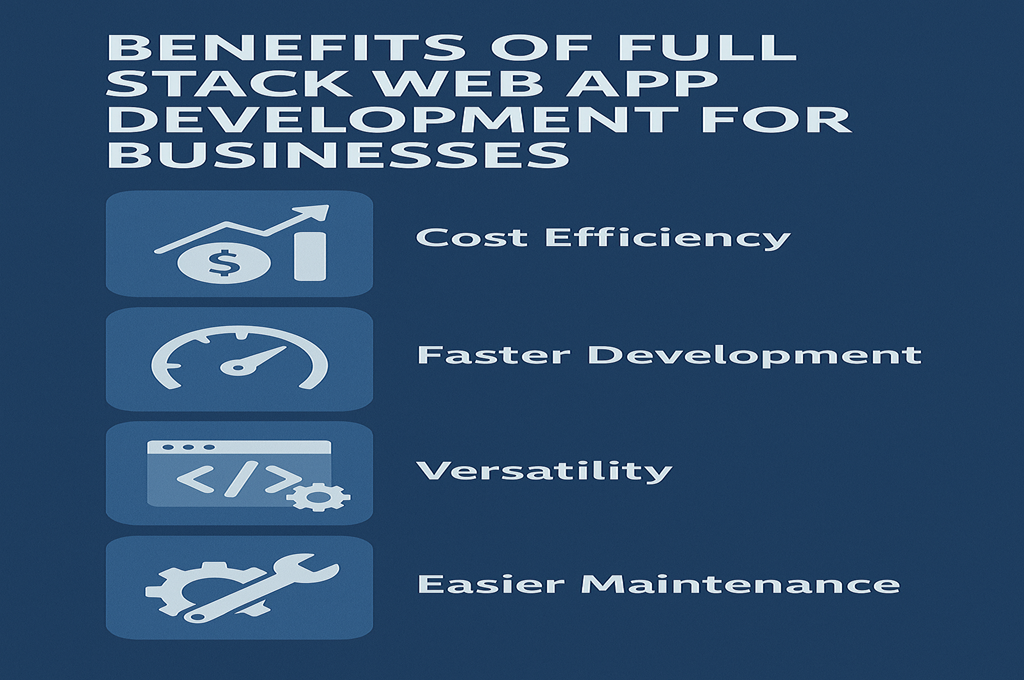
1. End-to-End Project Ownership
You work with one team — not six.
That means:
- Fewer communication gaps
- Clearer accountability
- Better consistency
- Streamlined strategy
Your project moves forward smoothly from concept to deployment.
2. Faster Development & Deployment
Full stack teams work in parallel:
- Frontend + backend developed simultaneously
- APIs built alongside UI
- Cloud setup begins early
- Testing integrated into every stage
Your business gets to market faster — which means faster ROI.
3. Cost-Effective Development
Why hire separate teams when one full stack team can handle:
- UI/UX
- Frontend
- Backend
- Databases
- APIs
- Cloud hosting
- Security
This significantly lowers project costs without compromising quality.
4. Seamless Integration Across Technologies
Full stack teams understand how all layers connect. This means:
- Better data flow
- Fewer bugs
- Faster integrations
- More stable systems
- Easier upgrades
5. Scalability & Flexibility
As your business grows, your app must grow with it.
Full stack architectures allow:
- Load balancing
- Auto-scaling
- Microservices expansion
- New features built without downtime
6. Better Problem-Solving & Innovation
Full stack experts see issues from both the user and system side — leading to:
- Better performance
- Smarter architecture choices
- Faster debugging
- Higher-quality solutions
7. Consistent Quality & Security
Because the same team handles the entire stack, your business gets:
- Consistent coding standards
- Unified security protocols
- Fewer vulnerabilities
- Faster updates
Affiliate Recommendation
If you need a professional full stack development team, check this recommended provider:
👉 https://topratedaffi.com/recommends/full-stack-web-app-development/
SECTION 4 — Full Stack Development Process (Step-by-Step Breakdown for Businesses)
A successful web application starts with a strong, structured development process — one that minimizes risk, maximizes efficiency, and ensures your system is scalable and future-proof. Full stack development follows a systematic, end-to-end workflow designed for clarity, speed, and quality.
Below is the complete full stack development process explained in business-friendly terms.
1. Discovery & Requirement Analysis
Before writing a single line of code, the full stack team focuses on understanding your:
- Business goals
- Target audience
- Technical requirements
- Key features & modules
- Branding & design expectations
- Budget & timeframe
- Integration needs (APIs, CRM, payment systems, etc.)
Deliverables include:
- Project scope
- Technical architecture
- User journey maps
- Initial wireframes
- Milestones & timelines
This stage ensures the entire project is aligned with your business objectives from day one.
2. UI/UX Design & Prototyping
User experience determines whether customers stay or leave. During this stage, designers create:
- Wireframes
- High-fidelity UI designs
- Interactive prototypes
- Responsive layout drafts
- Visual branding elements
The goal is to create an intuitive, modern, and visually engaging interface.
Remember: Great design = higher conversions + happier users.
3. Frontend Development
Once the prototype is approved, full stack developers transform it into a real, functional frontend using modern frameworks.
Typical Technologies:
- React.js – Fast, scalable, component-based UI development
- Angular – Enterprise-grade framework with built-in structure
- Vue.js – Lightweight, flexible, easy to integrate
- Next.js / Nuxt.js – SSR for SEO and lightning-fast page loads
During frontend development, teams focus on:
- Component architecture
- State management
- Responsive layouts
- Efficient rendering
- Cross-browser compatibility
- Performance optimization
Your users will feel the impact of good frontend engineering immediately.
4. Back-End Development
The backend is the brain of your application. It handles:
- Data management
- User authentication
- Logic & API responses
- Payment processing
- Integrations
- Security
- Server operations
Popular backend stacks include:
- Node.js (Express, NestJS)
- Python (Django, Flask, FastAPI)
- PHP (Laravel, CodeIgniter)
- Java (Spring Boot)
- .NET Core
Backend tasks include:
- Structuring application logic
- Building secure APIs
- Optimizing server performance
- Handling real-time systems
- Managing sessions & authentication
- Implementing robust error handling
5. Database Design & Integration
Your database is the backbone of your business. Full stack teams design:
SQL Databases (Structured)
- MySQL
- PostgreSQL
- Microsoft SQL Server
NoSQL Databases (Flexible & scalable)
- MongoDB
- Firebase
- Cassandra
- Redis
Tasks include:
- Schema design
- Indexing optimization
- Query efficiency
- Data modeling
- Replication & backups
- Security access control
A well-designed database means higher speed, lower costs, and smoother performance.
6. Testing & Quality Assurance
Every serious development team runs multiple layers of testing, including:
- Unit testing
- Integration testing
- Functional testing
- API testing
- Security testing
- Load & stress testing
- Device & browser testing
This ensures the app is not only functional but bulletproof across all environments.
7. Deployment & Hosting
Once development is complete, the application is deployed to a secure cloud environment such as:
- AWS
- Google Cloud
- Azure
- Vercel
- DigitalOcean
- Render
Deployment includes:
- Server provisioning
- CI/CD automation
- Domain setup
- SSL installation
- CDN integration
- Firewall configuration
Modern hosting ensures scalability and maximum uptime.
8. Maintenance & Continuous Improvement
After launch, your application requires:
- Regular updates
- Performance optimization
- New feature rollout
- Security patches
- Real-time monitoring
- Bug fixes
- Server scaling
Full stack teams provide long-term support to ensure your app continues performing at its peak.
Affiliate Recommendation
Want to work with a reliable full stack development team? Check this recommended provider:
👉 https://topratedaffi.com/recommends/full-stack-web-app-development/
SECTION 5 — Front-End Technologies Used in Full Stack Web App Development
Your frontend determines how customers interact with your brand. A fast, modern, and responsive interface increases conversions and boosts customer satisfaction. In 2025, the leading frontend technologies dominate because of their speed, scalability, and developer friendliness.
Below is a breakdown of the most important frontend tools used by full stack developers.
1. React.js
React remains the #1 front-end library in the world, powering:
- Netflix
- Shopify
- Airbnb
Why businesses love React:
- Component-based architecture
- Lightning-fast rendering
- Massive community support
- Endless integrations
- Great for enterprise systems
- Works perfectly with Next.js for SEO
React is ideal for building:
- Dashboards
- SaaS platforms
- Marketplaces
- Interactive user interfaces
2. Angular
Angular is a full-fledged framework backed by Google.
Benefits for businesses:
- Highly structured
- Built-in modules
- Enterprise-level scalability
- Good for large teams
- Strong TypeScript support
Angular is often used by:
- Banking systems
- Government platforms
- ERP & CRM solutions
- Corporate dashboards
3. Vue.js
Vue is a flexible, progressive framework loved for its simplicity and performance.
Why Vue is popular:
- Easy to learn
- Lightweight & fast
- Works for both small and large projects
- Clear documentation
- Great ecosystem
Vue is ideal for:
- Rapid development
- Lightweight client apps
- Interactive widgets
- Multi-step onboarding flows
4. Next.js & Nuxt.js (SSR Frameworks)
These frameworks offer server-side rendering, which is crucial for SEO and high-performance applications.
Advantages:
- Faster page loads
- Better SEO
- Static site generation
- Image optimization
- Easy API routing
- Excellent for SaaS & eCommerce
Next.js has become the default choice for modern web applications.
5. HTML5, CSS3, JavaScript (ES6+)
These are the foundational technologies behind every web application.
Full stack developers ensure:
- Clean, semantic HTML
- Responsive CSS
- Modern JavaScript functionalities
- Accessibility compliance
SECTION 6 — Backend Technologies Used in Full Stack Web App Development
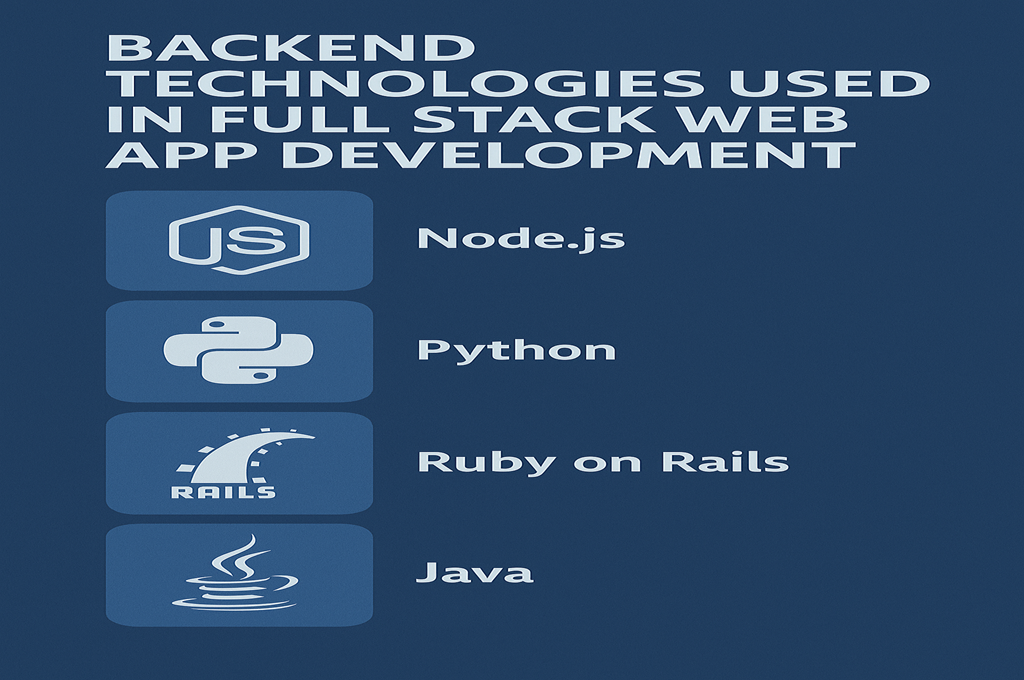
The backend is where all business logic, integrations, and system operations happen. A strong backend ensures your application stays:
- Fast
- Secure
- Scalable
- Stable
- Efficient
Here are the most commonly used backend technologies in 2025.
1. Node.js
Node.js is the #1 backend technology powering:
- PayPal
- Trello
- Uber
- Netflix
Why Node.js is unbeatable:
- Non-blocking I/O (fast performance)
- Handles real-time systems
- Same language front & back (JavaScript)
- Massive ecosystem (NPM)
- Perfect for microservices
Node.js frameworks include:
- Express.js
- NestJS
- Hapi.js
- Fastify
2. Python (Django, Flask, FastAPI)
Python is the favorite for:
- AI applications
- Data-intensive platforms
- Secure business systems
Why Python works well:
- Simple & clean code
- Excellent security
- Strong community
- Great for APIs
- Perfect for ML/AI integration
Frameworks:
- Django – Secure, scalable, enterprise-ready
- Flask – Lightweight and flexible
- FastAPI – Extremely fast, perfect for APIs
3. PHP (Laravel)
Despite being older, PHP still powers over 70% of the web.
Why businesses choose Laravel:
- Elegant MVC architecture
- Built-in authentication
- Fast development lifecycle
- Very affordable hosting
- Massive ecosystem
Laravel remains a top choice for:
- Booking systems
- eCommerce
- CRM platforms
- Content-heavy applications
4. Java (Spring Boot)
Java is the backbone of enterprise software.
Key benefits:
- High performance
- Powerful security
- Great for large-scale applications
- Strong concurrency support
Used by:
- Banks
- Telecom industries
- Large corporations
5. .NET Core
Microsoft’s modern backend framework supports:
- Windows
- Linux
- Cloud-native apps
Why .NET Core is powerful:
- Enterprise-grade performance
- Advanced security features
- Excellent for corporate systems
- Smooth Azure integration
Affiliate Recommendation
Looking for experts in frontend & backend technologies?
👉 https://topratedaffi.com/recommends/full-stack-web-app-development/
SECTION 7 — Database Management in Modern Full Stack Web Applications
A fast, scalable web application depends heavily on its database architecture. Whether your platform handles user accounts, transactions, real-time data, analytics, or cloud storage — your database determines how efficiently your system runs.
A full stack development team ensures that your application uses the right database technology, properly configured for performance, security, and long-term scalability.
Below is a breakdown of the major database categories used in modern Full Stack Web App Development.
1. SQL Databases (Relational)
SQL databases store data in structured tables and are perfect for business-critical applications requiring consistent data relationships.
Popular SQL Databases:
- MySQL – Open-source, fast, highly reliable
- PostgreSQL – Advanced features, enterprise-grade
- Microsoft SQL Server – Corporate-level performance
- MariaDB – Enhanced MySQL alternative
Business Use Cases:
- Financial systems
- CRM platforms
- ERP software
- Transaction-based systems
- Marketplace apps
Advantages:
- High data integrity
- Secure & stable
- Strong ACID compliance
- Mature ecosystem
SQL databases are ideal when your business relies on accurate, structured data.
2. NoSQL Databases (Non-relational)
These databases store unstructured or semi-structured data and are perfect for flexible, scalable applications.
Popular NoSQL Databases:
- MongoDB – Document-based storage
- Firebase Firestore – Real-time updates
- Cassandra – High availability + distributed systems
- DynamoDB – Serverless NoSQL (AWS)
- Redis – Fast in-memory database for caching
Business Use Cases:
- Real-time applications
- IoT systems
- Social networks
- Chat applications
- Big data analytics
Advantages:
- Easy to scale horizontally
- Faster for certain types of queries
- Flexible data models
- Ideal for microservices
3. Cloud Databases
Modern full stack development uses cloud-native database services to ensure:
- Automatic backups
- Better uptime
- Global availability
- Auto-scaling
- Easy maintenance
Popular Cloud Databases:
- Amazon RDS
- Google Cloud SQL
- Azure SQL Database
- MongoDB Atlas
- Firebase Realtime DB
- PlanetScale (MySQL serverless)
These allow businesses to avoid costly server management while ensuring world-class performance.
4. Database Optimization Techniques
A professional full stack team provides optimization services such as:
- Query optimization
- Indexing
- Normalization / denormalization strategies
- Caching layers (Redis, Memcached)
- Connection pooling
- Read/write splitting
- Load balancing
A poorly optimized database slows down every part of your application, from dashboards to checkout flows.
SECTION 8 — Cloud & DevOps in Full Stack Web App Development
In 2025, every modern web application must be cloud-based, automated, and scalable. Full stack development relies heavily on Cloud & DevOps to ensure performance, availability, and reliability.
Below is everything a business owner needs to know.
1. Cloud Platforms Used in Full Stack Development
Modern full stack developers deploy applications on the world’s leading cloud platforms:
Top Cloud Providers:
- Amazon Web Services (AWS)
- Google Cloud Platform (GCP)
- Microsoft Azure
- DigitalOcean
- Vercel (best for Next.js apps)
- Render & Netlify (lightweight apps)
These cloud platforms ensure:
- 99.9% uptime
- Fast global delivery
- Auto-scaling
- Secure environments
- Pay-as-you-grow pricing
2. DevOps Tools & Practices
DevOps combines development + operations to automate, streamline, and speed up deployment.
Common DevOps Tools:
- CI/CD pipelines (GitHub Actions, GitLab CI, Jenkins)
- Docker (containerization)
- Kubernetes (orchestration)
- Terraform (infrastructure-as-code)
- Nginx / Apache servers
- PM2 (Node.js process management)
Benefits of DevOps for businesses:
- Faster deployments
- Zero downtime updates
- Better reliability
- Improved security
- Automated testing
- Smooth release cycles
3. Serverless Architecture
More apps today run without traditional servers.
Popular Serverless Tools:
- AWS Lambda
- Google Cloud Functions
- Azure Functions
- Cloudflare Workers
Benefits of serverless:
- No server management
- Lower cost
- Auto-scaling
- Faster execution
This is perfect for:
- APIs
- Microservices
- Cron jobs
- Event-driven tasks
4. Containerization (Docker & Kubernetes)
Modern full stack systems bundle applications into containers.
Docker:
Keeps apps consistent across all machines.
Kubernetes:
Automatically scales, manages, and distributes containers.
Benefits:
- Super scalable
- Cloud-native
- Ideal for microservices
- High availability
5. CDN & Performance Tools
A global CDN (Content Delivery Network) ensures content loads fast everywhere.
Popular CDNs:
- Cloudflare
- AWS CloudFront
- Akamai
- Fastly
Benefits:
- Faster load times
- Better SEO
- Reduced server load
- Protection against DDoS
SECTION 9 — API Integration & Microservices Architecture
Modern businesses need systems that talk to each other. That’s where APIs and microservices come in.
1. API Integration Services
APIs enable communication between systems. Full stack developers integrate:
Common API Integrations for Businesses:
- Payment gateways (Stripe, PayPal)
- CRM tools (HubSpot, Salesforce)
- Marketing platforms (Mailchimp, ActiveCampaign)
- Social media APIs (Facebook, Google, LinkedIn)
- Authentication (Auth0, Firebase Auth)
- Shipping APIs (FedEx, UPS)
- SMS/communication APIs (Twilio)
Benefits:
- Automates workflows
- Saves time
- Reduces manual work
- Increases performance
- Expands functionality
2. Microservices Architecture
Microservices break large applications into smaller independent services.
Business Benefits:
- Faster development
- Better scalability
- Reduced downtime
- Easier to upgrade
- Improved security
- Ideal for enterprise applications
Examples of Microservices:
- Authentication
- Billing
- User management
- Notifications
- Analytics
- Reporting
3. GraphQL & REST APIs
REST APIs
Most common, simple to use, widely supported.
GraphQL
Faster, more flexible, more efficient — ideal for large applications.
When to use which:
| API Type | Best Use Case |
|---|---|
| REST | Standard, simple, lightweight APIs |
| GraphQL | Complex apps with dynamic data needs |
SECTION 10 — Performance & Security Optimization Across the Full Stack
Security and performance are non-negotiable for businesses. A single vulnerability or performance bottleneck can cost you:
- Customers
- Revenue
- Trust
- Google rankings
Modern full stack development incorporates strict performance and security measures.
1. Full Stack Performance Optimization
Techniques Used:
- Caching (Redis, CDN, browser caching)
- Minified & optimized frontend files
- Server-side rendering (Next.js)
- Optimized queries
- Lazy loading & code splitting
- API response optimization
- Load balancing
- Database indexing
Benefits for business:
- Faster conversions
- Better mobile performance
- Higher SEO rankings
- Lower bounce rate
- Happier users
2. End-to-End Security Measures
Security is applied at every layer:
Frontend Security
- CSRF protection
- Secure cookies
- Safe form validations
Backend Security
- Authentication (JWT, OAuth2)
- Role-based access control
- Input sanitization
- Rate limiting
Database Security
- Encryption
- Secure user roles
- Backups
- Query validation
Cloud Security
- SSL certificates
- Firewalls
- DDoS protection
- IAM roles
- Server hardening
Full stack teams ensure your application complies with global standards like:
- GDPR
- HIPAA
- SOC 2
Affiliate Recommendation
For enterprise-grade API and cloud architecture services:
👉 https://topratedaffi.com/recommends/full-stack-web-app-development/
SECTION 11 — Responsive & Scalable Architecture in Full Stack Development
Modern businesses must build applications that work flawlessly across all devices and scale effortlessly as traffic grows. Full Stack Web App Development guarantees both responsiveness and scalability—from UI rendering to backend workflows.
1. Responsive Frontend Development
A responsive web application adapts smoothly to any device:
- Desktop
- Laptop
- Tablet
- Mobile
- Smart TVs
- Wearables
How full stack teams build responsive applications:
- Mobile-first UI design
- Flexible grid systems (CSS Grid, Flexbox)
- Adaptive typography
- Scalable vector graphics (SVG)
- Device-specific media queries
- Progressive Web App (PWA) support
Your users expect flawless performance, whether they’re browsing on an iPhone, Android, or desktop PC. Responsive design is no longer optional—it’s essential for conversions.
2. Scalable Backend Architecture
Scaling means your backend can handle more:
- Users
- Data
- Requests
- Features
- Integrations
Scalability Strategies:
- Load balancing
- Horizontal scaling (more servers)
- Vertical scaling (more resources)
- Microservices architecture
- Distributed databases
- Queue systems (RabbitMQ, Kafka)
- Caching layers (Redis, Memcached)
A scalable backend ensures your application never slows down, even during high traffic spikes.
3. Cloud-Native Scaling
Cloud platforms like AWS and GCP offer:
- Auto-scaling groups
- Global server distribution
- CDN acceleration
- On-demand resource allocation
- Serverless functions
These features allow your app to grow without rebuilding your infrastructure.
4. Real-Time Scalability
Real-time features require special architecture:
- Live chat
- Order tracking
- Notifications
- Live dashboards
- Game state updates
Tools like WebSockets, Socket.io, Firebase, and Pusher enable real-time scalability.
5. End-to-End Integration
A scalable system requires every layer to connect seamlessly:
- Frontend ↔ Backend
- Backend ↔ Database
- Database ↔ Cloud
- APIs ↔ Services
Full stack teams build integrated solutions that grow as your business grows.
SECTION 12 — Full Stack Development Timeline: How Long Does It Take?
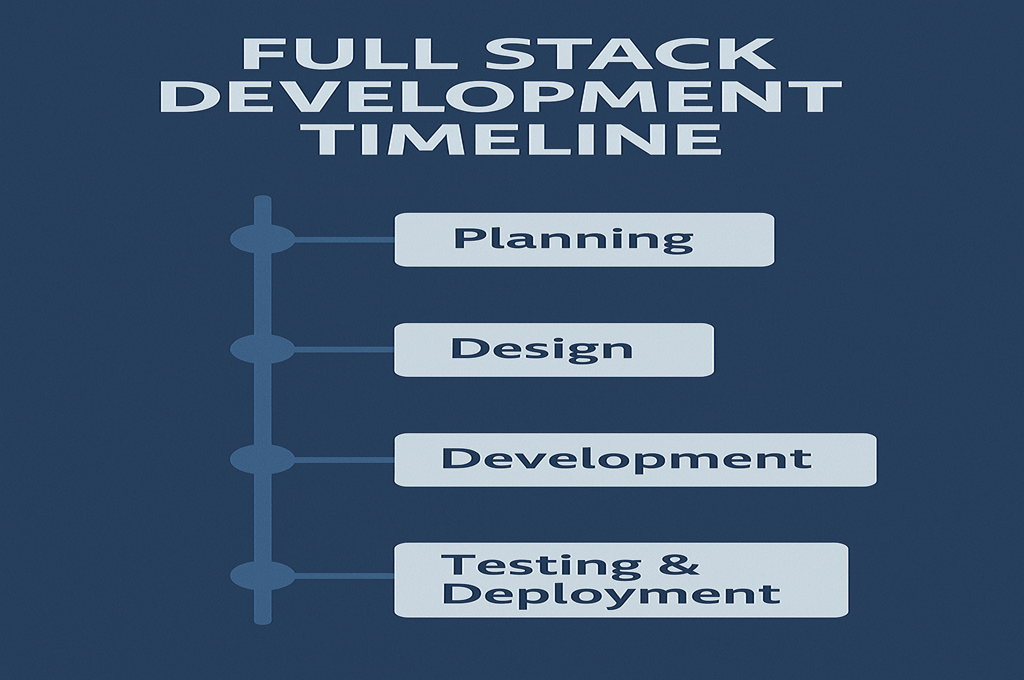
One of the most common questions from business owners is:
“How long will it take to develop a full stack web application?”
The answer depends on:
- Complexity
- Features
- Integrations
- Design requirements
- Performance needs
- Cloud architecture
- Testing & revisions
Below is a realistic breakdown.
1. Small Projects (4–8 Weeks)
Ideal for:
- Minimum Viable Products (MVPs)
- Prototype platforms
- Basic dashboards
- Simple booking systems
- Landing page + login + admin panel
Features typically included:
- User authentication
- Basic UI/UX
- Simple API
- Database setup
- Basic backend logic
2. Medium Projects (2–4 Months)
Ideal for:
- SaaS platforms
- E-commerce systems
- Multi-user dashboards
- Advanced UI
- Custom backend flows
Features typically included:
- Complex database architecture
- API integrations
- Payment systems
- Admin dashboards
- Cloud deployment
- Multi-role user systems
3. Large Enterprise Projects (4–8+ Months)
Ideal for:
- Corporate systems
- Large SaaS platforms
- Marketplaces
- Social platforms
- Real-time applications
Features typically included:
- Microservices
- Real-time features
- AI integration
- Advanced analytics
- High-security environments
- Multi-cloud scaling
Enterprise-level apps require architecture planning equal to the development workload.
Timeline Factors
Several factors affect the overall timeline:
- Feature complexity
- UI/UX revisions
- Third-party integrations
- Testing requirements
- Cloud architecture
- Compliance (GDPR, HIPAA, PCI-DSS)
Agile Development Advantage
Full stack teams use Agile methodology:
- Weekly sprints
- Regular demos
- Transparent progress
- Early testing
- Flexible changes
This ensures your project stays aligned with business goals and can evolve as needed.
SECTION 13 — Upgrading or Modernizing Existing Web Applications
If your business already has a web application but it’s slow, outdated, or lacking features — a full stack upgrade can transform everything.
1. Common Signs Your App Needs an Upgrade
If your app has any of the following, it’s time for modernization:
- Slow page loads
- Outdated UI/UX
- Poor mobile responsiveness
- Security vulnerabilities
- Unstable server performance
- Difficult code maintenance
- Lack of scalability
- Old frameworks (PHP 5, jQuery, etc.)
- Frequent crashes
- Poor analytics or reporting
Modern users expect fast, secure, and visually polished experiences — anything less hurts your brand reputation.
2. What a Full Stack Upgrade Includes
A. Technology Stack Modernization
Updating to modern technologies like:
- React / Vue / Angular
- Node.js / Python / Laravel
- Next.js
- Modern DevOps tooling
B. Performance Optimization
- Caching
- Database tuning
- Server optimization
- CDN integration
C. UI/UX Revamp
- Modern layout
- Mobile-first redesign
- Improved navigation
- Better conversions
D. Security Enhancements
- HTTPS
- Encryption
- MFA
- Authentication upgrades
E. Database Upgrades
- Schema improvements
- Indexing
- Migration to cloud databases
F. Infrastructure Upgrades
- Move to AWS/GCP/Azure
- Containerization
- CI/CD pipelines
A proper upgrade extends your system’s life by 5–10 years.
3. Migration Without Downtime
Experienced full stack engineers use:
- Staging environments
- Version-controlled rollouts
- Blue-green deployment
- Testing sandboxes
This ensures your business remains fully operational during migration.
SECTION 14 — Before & After: Full Stack Application Performance Transformation
Businesses often underestimate the power of full stack optimization. But once implemented, the difference is dramatic.
Below is a real-world comparison of what happens before vs after upgrading your stack.
Before Optimization
❌ Slow page load times
❌ Poor mobile experience
❌ Outdated UI
❌ High hosting costs
❌ Inefficient backend logic
❌ API bottlenecks
❌ No caching layer
❌ Security vulnerabilities
❌ Low user retention
❌ Frequent bugs
After Optimization
✔️ Lightning-fast performance (1–2 seconds load time)
✔️ Clean, modern, responsive UI/UX
✔️ Cloud-native architecture
✔️ Lower hosting costs
✔️ High-performing backend
✔️ Optimized APIs
✔️ Redis caching for 10x faster database reads
✔️ Strong authentication & security
✔️ Improved SEO & rankings
✔️ Higher conversion rates
The Results Businesses Experience
After a full stack upgrade, companies typically achieve:
- Up to 10× faster app performance
- 40%–70% lower hosting costs
- 30%–50% increase in conversions
- Higher user satisfaction
- Improved retention & engagement
The transformation isn’t just technical — it creates real business impact.
SECTION 15 — Client Success Stories & Testimonials
A strong full stack development strategy delivers measurable business results. Below are examples of real outcomes companies achieve after using professional full stack services.
⭐ Real Client Testimonials
1. SaaS Platform Transformation
“They transformed our outdated system into a fast, modern, and scalable web application. Our performance metrics improved dramatically. Load times dropped from 9 seconds to under 2 seconds.”
2. E-Commerce Revenue Boost
“After optimizing our backend and redesigning the frontend, our conversion rate increased by 31%. The checkout process is now lightning-fast and secure.”
3. Enterprise System Modernization
“The team delivered exactly what we needed — responsive design, secure backend, and smooth third-party integrations. Communication was clear every step of the way.”
4. Startup Launch Success
“Thanks to their full stack expertise, our product launch went flawlessly. The application handles thousands of users daily without any performance issues.”
5. Cost Reduction & Scalability
“They optimized our infrastructure and cut our server costs by nearly 50% using cloud-based auto-scaling and better database optimization.”
Why Clients Trust Full Stack Teams
✔️ Business-first strategy
✔️ Transparent communication
✔️ Enterprise-grade security
✔️ Scalable architecture
✔️ Faster development cycles
✔️ Lower long-term maintenance costs
A good full stack team becomes a long-term partner, not just a service provider.
SECTION 16 — Cost of Full Stack Web App Development in 2026
As a business owner, understanding development costs is crucial for budgeting and decision-making. The cost varies widely depending on complexity, features, and the experience of the team.
Below is a realistic 2026 pricing guide.
1. Small Projects (MVPs / Simple Apps)
Cost: $5,000 – $20,000
Includes:
- User login
- Basic dashboard
- CRUD functionality
- Simple APIs
- Standard UI
- Single database
2. Medium Projects (SaaS, E-commerce, Dashboards)
Cost: $20,000 – $80,000
Includes:
- Advanced UI/UX
- Multiple user roles
- Payment integration
- Third-party APIs
- Admin panel
- Cloud hosting
- Security protocols
3. Large & Enterprise Applications
Cost: $80,000 – $250,000+
Includes:
- Microservices
- Real-time features
- AI/ML integrations
- Multi-cloud architecture
- Complex backend logic
- High-security environments
- Compliance regulations (GDPR, HIPAA)
Enterprise systems can exceed $500k depending on scale.
4. Ongoing Maintenance Costs
Expect:
- $500–$5,000/month for maintenance, updates, and support
- More for enterprise systems
Cost Depends on:
- App complexity
- Technology stack
- Level of customization
- API integrations
- Revisions
- Data volume
- Design requirements
- Timeline (urgent = higher cost)
SECTION 17 — How to Hire the Right Full Stack Development Team
Choosing the wrong development team can cost you months of wasted time — and thousands of dollars. Here’s how to hire the right team for your business.
1. Look for Real Full Stack Expertise
A real full stack developer should know:
- Frontend frameworks (React, Angular, Vue)
- Backend languages (Node, Python, PHP, Java)
- Databases (SQL and NoSQL)
- Cloud deployment (AWS, Azure, GCP)
- API development
- Security best practices
- DevOps workflows
2. Review Past Projects
Ask for:
- Previous works
- Live demos
- Code samples
- Case studies
- Testimonials
Look for apps similar to your target project.
3. Clear Communication Skills
Full stack teams must communicate:
- Requirements
- Progress updates
- Risks
- Timelines
- Architectural decisions
Poor communication = slow development + costly mistakes.
4. Check Their Process
A professional team follows a structured process:
- Discovery
- Prototyping
- Frontend + backend parallel development
- Testing
- Deployment
- QA
- Support
Avoid teams that “jump straight into coding.”
5. Security Knowledge
They must understand:
- Encryption
- OAuth2 / JWT
- API security
- Database protection
- Server hardening
- Compliance requirements
Security is NOT optional.
6. Ask About Scalability
Your app must grow with your business.
Look for teams who build:
- Microservices
- Cloud-native architecture
- Auto-scaling systems
- Optimized databases
7. Pricing Transparency
Avoid teams with unclear pricing or vague timelines.
Professional developers provide:
- Clear cost breakdown
- Payment milestones
- Written timelines
- Scope documentation
8. Post-Launch Support
Ensure ongoing support includes:
- Bug fixes
- Updates
- Security patches
- New features
- Monitoring
A full stack application evolves continuously.
SECTION 18 — Recommended Tools, Services & Affiliate Partners
To ensure your full stack project succeeds, here are curated tools and services used by top developers.
1. Full Stack Development Services (Recommended)
👉 https://topratedaffi.com/recommends/full-stack-web-app-development/
Perfect for businesses needing end-to-end development.
2. Hosting & Cloud Platforms
3. Design Tools
4. Project Management
5. Analytics & Monitoring
6. API Tools
SECTION 19 — Frequently Asked Questions (FAQ)
Below are the most common questions business owners ask about Full Stack Web App Development.
1. What is Full Stack Web App Development?
It is the end-to-end creation of a web application, including frontend, backend, databases, cloud architecture, and security.
2. How long does full stack development take?
From 4 weeks to 8+ months, depending on complexity.
3. How much does it cost?
Between $5,000 and $250,000+, depending on features and scale.
4. Which technologies are best for my project?
React + Node.js + PostgreSQL + AWS is the most common choice in 2025.
5. Can you upgrade my existing web application?
Yes — modernization is one of the fastest ways to improve performance.
6. How secure is a full stack application?
Highly secure when implemented with proper authentication, encryption, and cloud security standards.
7. Is full stack better than hiring separate developers?
For most businesses, yes — full stack reduces cost, improves speed, and avoids communication issues.
SECTION 20 — Final Thoughts: The Future of Full Stack Web App Development
In 2025 and beyond, businesses must build digital systems that are:
- Fast
- Scalable
- Integrated
- Cloud-powered
- Secure
- User-friendly
Full Stack Web App Development delivers all of this — with one unified team that handles the entire technology stack. Whether you’re launching a new product, modernizing an outdated system, or expanding your digital ecosystem, full stack development is the smartest investment you can make.
It gives you:
- Faster development
- Lower cost
- Better performance
- Seamless integrations
- Cloud-native scaling
- Industry-leading security
Full stack development isn’t just a skill — it’s a strategic advantage for businesses that want to grow.
SECTION 21 — Author Bio
Author Bio:
As a proud Fiverr Partner, I may earn a small commission from qualifying purchases made through the affiliate links on this site — at no additional cost to you. With years of experience in Full Stack Web App Development, UI/UX architecture, cloud deployment, and digital transformation, I help businesses build high-performance, scalable, and secure applications that drive real growth.