
Website Testing is one of the most essential processes for ensuring your online presence performs smoothly, loads quickly, and provides a seamless user experience. In a competitive digital environment, visitors expect websites to be fast, intuitive, and error-free—and even a minor glitch can cost you traffic, credibility, and potential revenue.
Effective testing helps uncover hidden issues, optimize performance, improve accessibility, and enhance overall reliability. By examining speed, navigation, usability, mobile compatibility, and functionality, you ensure every element works exactly as intended. Consistent testing not only improves user satisfaction but also strengthens SEO, boosts conversions, and supports long-term digital growth.
Whether you’re maintaining a personal website or scaling an enterprise-level platform, a structured testing strategy enables you to deliver a polished, high-performing website that meets modern user expectations.
Table of Contents
⭐ Why Website Testing Matters for User Experience
Providing a smooth user experience is one of the most important goals for any website. Users expect pages to load quickly, buttons to respond instantly, and layouts to look clean and consistent on every device. When your website fails to meet these expectations, frustration sets in—and users leave.
Website testing plays a key role in preventing these issues. By evaluating performance, testing functionality, and identifying usability problems, you ensure that every visitor enjoys a seamless experience.
How Testing Improves User Experience:
✔️ Ensures Functional Accuracy
Broken links, malfunctioning forms, or non-responsive buttons disrupt user flow. Testing identifies these issues early before they hurt engagement.
✔️ Improves Consistency Across Devices
Users browse across desktops, smartphones, tablets, and multiple browsers. Testing ensures the website looks and behaves correctly in every environment.
✔️ Enhances Visual Stability
Testing prevents layout shifts, overlapping elements, and formatting errors that make a site appear unprofessional.
✔️ Boosts Visitor Confidence
A polished, well-functioning website communicates reliability and builds trust with users.
✔️ Reduces Bounce Rates
Fast-loading, easy-to-navigate websites naturally keep visitors engaged longer.
✔️ Strengthens Accessibility
Testing ensures your website is usable for all visitors, including those with disabilities, supporting WCAG compliance.
A well-tested website creates a positive first impression, keeps users engaged, and improves the overall perception of your brand. When visitors can navigate effortlessly and complete actions smoothly, they’re far more likely to return, convert, and trust your business long-term.
🟦 PART 2 — Key Components of an Effective Website Testing Strategy
A strong Website Testing strategy involves several interconnected components that work together to evaluate, optimize, and enhance site performance. Each component plays a specific role in ensuring your website delivers a reliable, intuitive, and high-quality experience to every visitor. When combined, these components form a powerful testing framework that supports stable operation, higher engagement, and long-term digital growth.
Below are the core elements of an effective testing strategy:
⭐ 1. Functional Testing
Functional testing ensures every feature on your site behaves as expected. This includes:
- Navigation menus
- Buttons and links
- Forms and input fields
- Search filters
- Checkout processes
- Media playback (images, audio, video)
- Interactive elements like sliders or pop-ups
If any element breaks or behaves unexpectedly, user frustration follows—leading to lost conversions and reduced satisfaction. Functional testing guarantees your website is not only visually appealing but also fully operational.
⭐ 2. Performance Testing
Performance testing evaluates how efficiently your website loads and operates under different conditions. Key performance factors include:
- Page load time
- Server response speed
- Time to first byte (TTFB)
- Rendering performance
- Network latency
- Resource optimization
- Scalability during traffic spikes
Sites that load slowly lose visitors quickly—especially mobile users. Performance testing ensures your visitors enjoy speed, smooth interactions, and consistent reliability.
📌 Google Web.dev Performance Guidelines
https://web.dev/fast/
⭐ 3. Usability Testing
Usability testing focuses on the visitor’s experience as they navigate and interact with your site. This involves analyzing:
- Navigation clarity
- Readability
- Visual hierarchy
- Clutter or friction points
- Button placement
- CTA visibility
- Content flow
- Mobile accessibility
The goal is simple: make your website easy, intuitive, and enjoyable to use—so visitors stay longer and convert more often.
⭐ 4. Cross-Browser & Cross-Device Testing
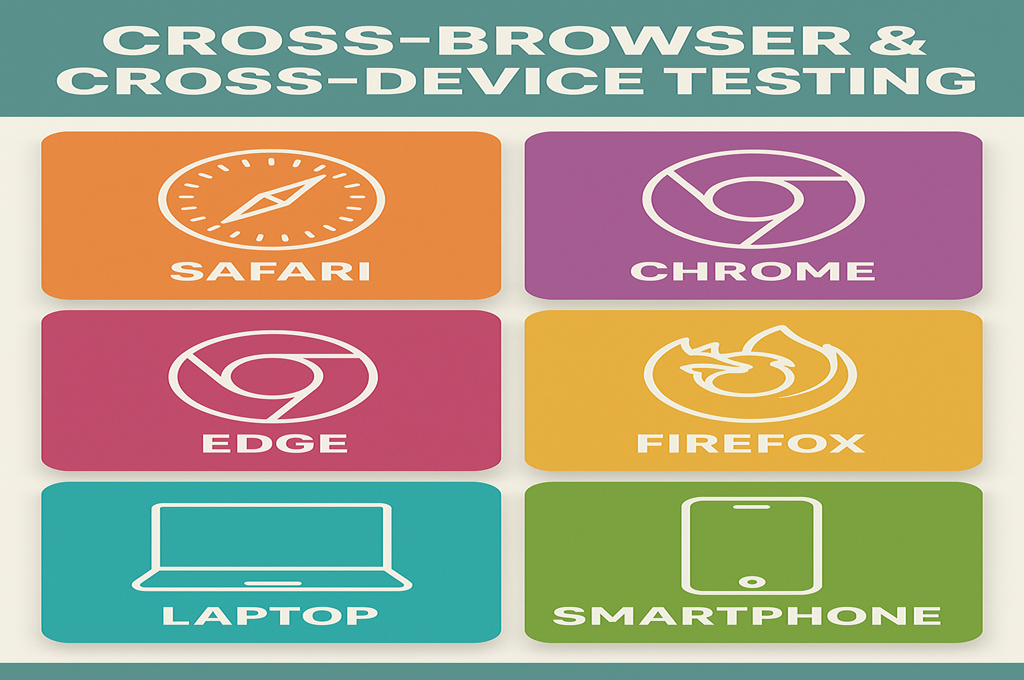
Your users browse from a wide range of platforms. A strong testing strategy ensures your website displays and functions consistently across:
Browsers:
- Chrome
- Safari
- Firefox
- Edge
- Opera
Devices:
- iPhone / iPad
- Android phones
- Tablets
- Windows desktops
- macOS laptops
Even slight compatibility issues—such as broken layouts or misaligned buttons—can harm your user experience. Cross-platform testing ensures your site looks polished no matter how visitors access it.
⭐ 5. Security Testing
A secure website is essential for protecting user data, maintaining trust, and preventing cyberattacks. Security testing checks for vulnerabilities like:
- Outdated plugins
- Weak authentication
- SQL injection risks
- Cross-site scripting (XSS)
- Unsecured forms
- SSL issues
- Exposed server errors
Websites that lack strong security measures put users at risk—and damage their reputation. Testing ensures your site follows security best practices and meets compliance standards.
📌 OWASP Security Testing Guide
https://owasp.org/www-project-web-security-testing-guide/
⭐ 6. SEO Testing
Search engines reward websites that deliver strong technical performance. SEO testing analyzes factors like:
- Meta tags & headings
- URL structure
- Mobile responsiveness
- Loading speed
- Indexability
- Schema markup
- XML sitemaps
- Broken links
- Internal linking
SEO testing ensures your website is optimized for search engines, helping improve rankings and drive consistent organic traffic.
⭐ 7. Accessibility Testing
Accessibility ensures that all visitors—including those with disabilities—can fully use your website. Testing includes:
- Keyboard navigation
- ARIA labels
- Screen reader compatibility
- Contrast ratio
- Alt text
- Font size & spacing
An accessible website improves usability for everyone and aligns with WCAG standards.
When combined, these key components create a comprehensive, structured Website Testing strategy that improves performance, prevents issues, and enhances overall user experience. Testing isn’t just about identifying problems—it’s about creating a well-optimized, professional, and scalable online presence.
🟦 PART 3 — Benefits of Running Regular Website Tests
Running regular Website Testing sessions is one of the most effective ways to maintain a high-performing, user-friendly, and conversion-optimized website. Instead of waiting for problems to appear, routine testing allows you to find issues early, improve performance continuously, and stay ahead of competitors. When integrated into your ongoing workflow, testing becomes a strategic asset that strengthens your entire digital ecosystem.
Below are the most important benefits of consistent testing:
⭐ 1. Early Detection of Problems
One of the biggest advantages of ongoing testing is the ability to detect issues before they affect your users. Common hidden problems include:
- Slow-loading pages
- Broken buttons or forms
- Redirect loops
- Script conflicts
- Design inconsistencies
- Mobile responsiveness failures
Identifying problems early prevents downtime, reduces user frustration, and protects revenue. A small fix caught early is far less costly than repairing a widespread issue after users are already affected.
⭐ 2. Improved Website Performance
Performance directly influences user experience, SEO, and conversion rates. Regular testing ensures your website remains fast, responsive, and consistent by measuring:
- Loading speed
- Server response time
- File sizes
- Script execution
- Media optimization
Fast websites attract more traffic, retain visitors longer, and naturally convert at higher rates.
📌 Google PageSpeed Insights
https://pagespeed.web.dev/
⭐ 3. Stronger SEO Performance
Search engines reward websites that offer a smooth, secure, and high-quality experience. Regular testing strengthens your SEO by improving:
- Speed
- Mobile performance
- Crawlability
- Indexing
- Site structure
- Error-free navigation
A well-tested website naturally ranks better because it meets technical standards that search engines look for.
⭐ 4. Enhanced Security & User Protection
Cyberattacks and vulnerabilities often arise because of outdated software, broken authentication, or untested features. Routine testing identifies risks such as:
- Weak security patches
- Unsafe input fields
- SSL misconfigurations
- Plugin vulnerabilities
- Exposed scripts
By fixing these issues early, you protect both your users and your business from costly security breaches.
⭐ 5. Higher Conversion Rates
Conversions improve when users can navigate your site easily and complete actions without friction. Testing helps optimize:
- CTAs
- Navigation
- Page layouts
- Checkout processes
- Contact or signup forms
When users encounter fewer obstacles, they convert more frequently—leading to increased revenue and stronger lead generation.
⭐ 6. Consistent User Experience Across All Platforms
Visitors may use different browsers, devices, and screen sizes. Regular testing ensures your website works consistently for everyone, including:
- iPhone and Android users
- Desktop and laptop users
- Chrome, Safari, Firefox, Edge, and Opera browsers
This consistency builds trust and strengthens brand perception.
⭐ 7. Reduced Bounce Rates
Bounce rate increases when pages load slowly, navigation is confusing, or features break. Testing ensures reliability and speed, motivating users to explore more pages rather than leaving instantly.
⭐ 8. More Reliable Data for Business Decisions
Clean, functional websites produce accurate analytics. Broken tagging, untracked forms, or misconfigured events can corrupt your data. Testing guarantees your analytics tools capture information properly—leading to better business decisions.
⭐ 9. Increased Customer Satisfaction & Retention
A well-maintained website keeps users returning. When visitors enjoy smooth experiences, they perceive your brand as professional, dependable, and trustworthy.
Regular Website Testing ensures long-term customer satisfaction, loyalty, and reputation.
⭐ Affiliate Recommendation (1/4)
👉 Boost your optimization workflow with this top-rated testing toolkit:
https://topratedaffi.com/recommends/Website-Testing
🟦 PART 4 — Essential Website Testing Techniques for Modern Websites
Modern websites are dynamic, interactive, and often built using multiple frameworks, APIs, third-party integrations, and responsive layouts. Because of this complexity, Website Testing requires a diverse set of techniques to ensure your site performs flawlessly under real-world conditions. Each technique focuses on a different aspect of performance, usability, security, and reliability — and together, they form the foundation of a fully optimized digital experience.
Below are the most essential testing techniques every modern website needs.
⭐ 1. Functional Testing
Functional testing examines whether every component of your website works exactly as intended. This includes:
- Navigation menus
- Buttons and CTAs
- Forms and input fields
- Search filters and sort features
- Login, signup, and user dashboards
- Checkout and payment flows
- Interactive elements (tabs, sliders, pop-ups)
Functional testing also confirms that workflows behave correctly from beginning to end. Even one broken element can disrupt the entire user journey.
Functional tests answer the question:
👉 Does everything on the website work the way users expect?
⭐ 2. Performance Testing
Performance testing measures how fast and stable your website is under real-world conditions. It focuses on:
- Page load times
- Server response performance
- Caching efficiency
- CSS and JavaScript execution
- CDN delivery
- Image and media optimization
- Scalability during traffic spikes
Modern users expect instant results. Slow pages lead to higher bounce rates, lower conversions, and reduced organic visibility.
📌 GTmetrix — Performance Diagnostics
https://gtmetrix.com/
⭐ 3. Cross-Browser Testing
Every browser handles code differently. A website may work perfectly in Chrome but break in Safari or Firefox. Cross-browser testing ensures consistency across:
- Chrome
- Safari
- Firefox
- Edge
- Opera
This includes testing:
- Layout consistency
- Script execution
- Animations
- Media playback
- CSS rendering
A website that doesn’t display consistently risks losing trust and conversions.
⭐ 4. Cross-Device Testing
More than 60% of web traffic comes from mobile devices. Modern Website Testing must confirm performance across:
- Smartphones (iOS and Android)
- Tablets
- Laptops
- Desktop monitors
- Various resolutions and screen orientations
Testing ensures your website is fully responsive, mobile-friendly, and seamless across all platforms.
⭐ 5. Usability Testing
Usability testing analyzes how real users interact with your website. This includes:
- Clarity of navigation
- Ease of scrolling
- Readability
- Button visibility
- Form simplicity
- CTA effectiveness
- Content placement
The goal is to ensure visitors can instantly understand how to use your website without confusion or frustration.
Usability testing answers:
👉 Is the website easy, intuitive, and enjoyable to use?
⭐ 6. Accessibility Testing
Accessibility ensures your website can be used by all visitors — including those with disabilities. This testing includes:
- Screen reader compatibility
- Keyboard navigation
- Proper use of ARIA labels
- Alt text for images
- Sufficient color contrast
- Font size flexibility
Accessibility testing helps your website meet WCAG standards and improves overall usability.
📌 W3C Accessibility Guidelines
https://www.w3.org/WAI/
⭐ 7. Security Testing
Security testing identifies vulnerabilities that could expose your website to cyber threats. Key areas include:
- SQL injection risks
- Weak authentication
- Outdated plugins
- Cross-site scripting (XSS)
- Insecure APIs
- SSL configuration
- Encryption issues
A secure website protects user data and preserves brand trust.
⭐ 8. Regression Testing
Every time you update your website — adding content, installing plugins, updating themes, or modifying code — new issues can appear. Regression testing ensures:
- New changes don’t break existing features
- Updates are compatible with previous functionality
- All critical flows still operate normally
Regression testing prevents unintended chain reactions.
⭐ 9. Automated Testing
Automated testing uses scripts to repeat testing tasks efficiently. Popular automated tools include:
- Selenium
- Cypress
- Playwright
- Testing Library
Automation is ideal for repetitive tests such as:
- Form submissions
- Navigation flows
- UI validations
- Regression cycles
- Performance scripts
It saves time and increases accuracy.
⭐ 10. Load & Stress Testing
Load testing simulates real-world traffic to measure performance under pressure.
Stress testing pushes the website beyond peak capacity to determine:
- Maximum scalability
- Weak points
- Failure thresholds
- Recovery ability
These tests ensure your site remains stable during spikes — such as product launches or viral campaigns.
⭐ Affiliate Recommendation (2/4)
Get access to advanced testing tools and workflows here:
👉 https://topratedaffi.com/recommends/Website-Testing
🟦 PART 5 — Website Testing & SEO Success + User Engagement & Retention
Website Testing plays a crucial role in strengthening your search performance, improving user engagement, and increasing retention. Search engines reward websites that are fast, technically sound, and easy to navigate — and testing ensures every part of your site meets these expectations. At the same time, users stay longer and return more often when they experience smooth interactions and flawless functionality.
This section covers how testing influences both SEO outcomes and long-term user behavior.
⭐ How Website Testing Supports SEO Success
Search engines have become increasingly user-centric. Google evaluates websites using ranking factors that relate to performance, usability, and stability. Regular testing ensures your website remains aligned with these requirements.
1. Faster Loading Improves Rankings
Google Core Web Vitals focus on speed, interaction, and visual stability. Testing identifies elements slowing down:
- JavaScript execution
- Oversized media
- Unoptimized CSS
- Server bottlenecks
- Render-blocking resources
Fixing these improves both user experience and SEO performance.
2. Better Mobile Experience Boosts Search Performance
Google’s mobile-first indexing means your mobile site is the primary version. Testing ensures:
- Responsive layouts
- Touch-friendly navigation
- Fast mobile loading
- Proper viewport scaling
A strong mobile experience increases visibility across search results.
3. Fewer Technical Errors Improve Crawlability
Website Testing helps eliminate issues that harm SEO rankings, such as:
- Broken links
- Redirect chains
- Server errors
- Duplicate content
- Unindexed pages
- JS rendering issues
Search engines reward websites that are easy to crawl and free from errors.
4. Stronger Site Structure Enhances Visibility
Testing ensures your site’s structure supports SEO elements like:
- Clean URLs
- Proper heading hierarchy
- Internal linking
- Schema markup
- XML sitemaps
These factors help search engines understand your content and improve ranking potential.
📌 Outbound resource: Google Search Central — SEO Starter Guide
https://developers.google.com/search/docs/beginner/seo-starter-guide
⭐ How Website Testing Boosts User Engagement & Retention
A well-tested site doesn’t just attract visitors — it keeps them engaged. When users encounter smooth navigation, fast load times, and consistent performance across devices, they stay longer, explore more pages, and trust your brand.
Here’s how testing improves engagement:
1. Eliminates Friction Points
Even small issues — a button not responding, an image not loading, a confusing layout — can cause users to leave immediately. Testing removes these barriers so users remain focused on your content or offers.
2. Improves Navigation & Discoverability
A well-tested navigation system:
- Makes content easy to find
- Encourages users to browse deeper
- Reduces confusion
- Enhances overall enjoyment
The smoother the journey, the more pages users view.
3. Increases Trust Through Visual Stability
Layout glitches or inconsistent formatting give an impression of low quality. Testing ensures:
- Clean spacing
- Aligned elements
- Proper image scaling
- Predictable behavior
Users trust brands with polished, reliable websites.
4. Supports Multiple Browsers & Devices
Users switch across devices daily. A consistent experience boosts retention because:
- They know the site will work
- They feel more comfortable returning
- Their actions remain predictable
Cross-device consistency is a major factor in long-term customer loyalty.
5. Reduces Bounce Rates
Bounce rates drop when:
- Pages load fast
- Content displays correctly
- Interactive features work smoothly
Testing helps eliminate the issues that push visitors away too quickly.
6. Increases Time on Page & Revisit Rates
By removing friction and improving usability, testing encourages:
- Deeper reading
- Stronger engagement
- More return visits
A well-tested website becomes a memorable and trusted digital experience.
⭐ Affiliate Recommendation (3/4)
Optimize your performance and user experience with a professional-grade testing toolkit:
👉 https://topratedaffi.com/recommends/Website-Testing
🟦 PART 6 — How Website Testing Improves Speed & Performance + Tools & Methods Used in Website Testing
Speed and performance are two of the most critical indicators of a successful online experience. Users expect instant loading, seamless navigation, and perfectly responsive layouts — and search engines reward websites that meet these expectations. Website Testing plays a major role in optimizing performance by uncovering bottlenecks, eliminating slow-loading elements, and ensuring your site remains fast and stable under all conditions.
This section breaks down how testing enhances speed, improves performance, and which professional tools help make optimization easier and more accurate.
⭐ How Website Testing Improves Speed & Performance
Performance issues often go unnoticed until they affect traffic, engagement, or conversions. Regular testing helps you identify speed-related problems early and resolve them before they harm user experience.
Here’s how testing improves website speed and reliability:
⭐ 1. Identifies Heavy Files & Unoptimized Media
Large images, bloated video files, and high-resolution graphics are among the most common causes of slow websites. Testing tools can detect:
- Oversized images
- Improper file formats
- Missing compression
- Videos loading before interaction
Optimizing these elements significantly boosts loading speed.
⭐ 2. Detects Slow Server Response Times
Testing helps diagnose server-side issues such as:
- Poor hosting performance
- Unoptimized caching layers
- Slow database queries
- Overloaded servers
A fast server is the foundation of a fast website.
⭐ 3. Highlights Render-Blocking Scripts
JavaScript and CSS files that load before page content can slow down the entire user experience.
Testing uncovers issues like:
- JS blocking first paint
- Unminified files
- Unused CSS rules
- Excessive script execution
Optimizing these improves both speed and visual stability.
⭐ 4. Evaluates CDN Performance
A content delivery network (CDN) ensures faster delivery of files by distributing them globally.
Testing helps determine:
- CDN response time
- Regional performance differences
- Caching errors
If your CDN underperforms, your global visitors may experience slow loading.
⭐ 5. Ensures Mobile Performance Stability
Mobile users expect lightning-fast load times. Testing checks:
- Mobile optimization
- Responsive image loading
- Mobile caching efficiency
- Layout stability (important for Core Web Vitals)
Poor mobile performance significantly reduces conversions.
⭐ 6. Detects Third-Party Script Bottlenecks
Scripts such as:
- Chat widgets
- Analytics tags
- Ad scripts
- Social media feeds
…can slow your site dramatically. Testing reveals which scripts are causing issues so you can optimize or remove them.
⭐ 7. Ensures Smooth Performance During High Traffic
Load testing simulates heavy user activity to ensure your website remains stable.
Key aspects tested:
- Concurrent user handling
- Session management
- Memory usage
- Server auto-scaling
A website that crashes during peak traffic loses revenue and credibility.
⭐ Tools & Methods Used in Website Testing
Modern Website Testing relies on specialized tools that help measure performance, validate functionality, and secure your online presence. Below are the most widely used tools, categorized by purpose.
⭐ 1. Performance & Speed Testing Tools
These tools measure loading speed, diagnose bottlenecks, and evaluate Core Web Vitals:
✔ Google Lighthouse
https://developers.google.com/web/tools/lighthouse
Analyzes performance, accessibility, SEO, and best practices.
✔ GTmetrix
https://gtmetrix.com/
Provides detailed waterfall charts, speed scores, and optimization insights.
✔ Pingdom
https://tools.pingdom.com/
Checks uptime, load time, and overall page performance.
⭐ 2. Cross-Browser & Cross-Device Testing Tools
These tools ensure consistency across platforms:
✔ BrowserStack
https://www.browserstack.com/
Tests websites on real devices and browsers.
✔ CrossBrowserTesting
Provides screenshots, live testing, and automated tests across platforms.
⭐ 3. Usability & Heatmap Analysis Tools
These tools track user behavior to identify friction points:
✔ Hotjar
https://www.hotjar.com/
Heatmaps, recordings, and user feedback.
✔ Crazy Egg
User behavior insights, scroll maps, and A/B testing.
⭐ 4. Automated Testing Tools
Automation speeds up repetitive tasks:
✔ Selenium
Popular for automated functional testing.
✔ Cypress
Fast JavaScript-based testing framework.
✔ Playwright
Modern automated end-to-end testing across multiple browsers.
⭐ 5. Security Testing Tools
Security tools identify vulnerabilities:
✔ OWASP ZAP
Open-source security scanner.
✔ Burp Suite
Industry-standard security testing toolkit.
⭐ 6. SEO Testing & Monitoring Tools
These help identify issues affecting search performance:
✔ Google Search Console
Monitors indexing, search performance, and page experience.
✔ Screaming Frog SEO Spider
Crawls your website to check for SEO and technical issues.
✔ Ahrefs Site Audit
Comprehensive site health and ranking factors analysis.
⭐ Affiliate Recommendation (4/4)
Unlock advanced tools and powerful testing features here:
👉 https://topratedaffi.com/recommends/Website-Testing
🟦 PART 7 — Common Website Testing Issues & How to Fix Them + A/B Testing + Step-by-Step Website Testing Checklist
Even the best websites encounter problems. What separates high-performing sites from the rest is the ability to identify issues early, fix them quickly, and prevent them from happening again. Website Testing exposes performance bottlenecks, usability flaws, and technical issues that may be hurting your conversions, SEO, and overall user satisfaction.
This section covers the most common issues found during testing, how to fix them, and how A/B testing strengthens website performance. You’ll also get a complete step-by-step testing checklist you can use for continuous optimization.
⭐ Common Website Testing Issues and How to Fix Them
Below are the issues that appear most frequently — along with how to resolve them efficiently and safely.
⭐ 1. Slow-Loading Pages
Slow performance drives users away. Common causes include:
- Oversized images
- Too many third-party scripts
- Render-blocking JavaScript
- Large CSS files
- Poor hosting performance
✔ How to Fix:
- Compress images (WebP format recommended)
- Enable caching
- Minify CSS & JS
- Use a CDN
- Upgrade hosting if needed
⭐ 2. Broken Links & Redirect Errors
Broken links damage SEO and frustrate users.
✔ How to Fix:
- Use link checkers to scan your site
- Update outdated URLs
- Remove links causing 404/410 errors
- Fix redirect loops or chains
⭐ 3. Mobile Responsiveness Problems
Many websites break on certain devices or screen sizes.
✔ How to Fix:
- Use responsive frameworks
- Set proper viewport meta tags
- Test breakpoints manually
- Adjust padding, spacing, and image scaling
⭐ 4. Cross-Browser Inconsistency
A layout may look perfect in Chrome but broken in Safari or Firefox.
✔ How to Fix:
- Use vendor prefixes in CSS
- Avoid browser-specific scripts
- Test on BrowserStack or similar tools
- Implement fallbacks for unsupported features
⭐ 5. Form Submission Errors
Sign-ups, checkouts, and contact forms must work flawlessly.
✔ How to Fix:
- Verify backend processing
- Test all validation rules
- Check email routing
- Confirm error/success messages display correctly
⭐ 6. Security Vulnerabilities
Outdated components or misconfigurations expose your site to attacks.
✔ How to Fix:
- Update all plugins/themes
- Enable SSL
- Use strong password policies
- Run regular security scans
- Implement firewall protections
⭐ 7. Accessibility Failures
Accessibility issues exclude many users and hurt usability.
✔ How to Fix:
- Use proper ARIA labels
- Add alt text to images
- Ensure keyboard navigation works
- Improve color contrast
🟦 A/B Testing to Improve Website Performance
A/B testing is one of the most powerful techniques for improving engagement, conversions, and overall performance. Instead of guessing what users prefer, you compare two versions of a page or element to see which one performs better.
⭐ How A/B Testing Works
- Select an element to test (headline, CTA, layout, image, etc.)
- Create Version A (original) and Version B (variation)
- Split audience traffic between both versions
- Measure KPIs such as clicks, conversions, or time on page
- Implement the winner
⭐ Elements You Can A/B Test
- CTAs
- Button placement
- Product images
- Headlines
- Page length
- Color schemes
- Pricing table design
- Signup form fields
⭐ Benefits of A/B Testing
- Higher conversions
- Improved user experience
- Lower bounce rates
- Clearer insights into user behavior
- Reduced risk when making design changes
Tools like Google Optimize, Optimizely, and VWO help automate the process and provide real-time performance data.
🟦 Step-by-Step Website Testing Checklist
Use this comprehensive checklist for regular website quality control:
✔ 1. Functionality Testing
- Test navigation menus
- Check all links
- Test all forms
- Validate search functions
- Confirm media loads properly
✔ 2. Cross-Browser Compatibility
Test across:
- Chrome
- Safari
- Firefox
- Edge
- Opera
✔ 3. Mobile Testing
Check usability on:
- iOS
- Android
- Small screens
- Tablets
- Portrait & landscape orientation
✔ 4. Speed & Performance Testing
- Page load time
- Core Web Vitals
- Image compression
- Script optimization
- Server response
✔ 5. Content Verification
- Grammar & spelling
- Consistent formatting
- Updated information
- Proper media placement
✔ 6. Security Testing
- SSL certificate status
- Vulnerability scanning
- Plugin updates
- Secure authentication
✔ 7. SEO Testing
- Metadata
- Canonical tags
- XML sitemap
- Indexing status
- Header structure
✔ 8. Accessibility Testing
- Screen reader tests
- Keyboard-only navigation
- Alternative text
- Contrast checking
✔ 9. Analytics Validation
- Test conversion tracking
- Validate pixel and tag firing
- Ensure event triggers work
✔ 10. Final User Experience Review
- Check simplicity of navigation
- Validate CTA visibility
- Assess overall design clarity
🟦 PART 8 — Website Testing Best Practices for Maximum Accuracy + Usability Testing Tips for Better Conversions + Expert Recommendations for Website Testing Success
Website Testing is most effective when done consistently, strategically, and with a clear understanding of user behavior and technical performance. This section covers the best practices recommended by professionals, usability-focused techniques for improving conversions, and expert insights to help you refine your testing workflow and achieve long-term website success.
⭐ Website Testing Best Practices for Maximum Accuracy
Following best practices ensures your testing process produces reliable, consistent, and actionable results. Even small adjustments in how you test can dramatically improve your website’s performance and overall digital impact.
⭐ 1. Test Early and Test Often
Don’t wait until your website launches to begin reviewing its performance. Testing early allows you to:
- Catch issues before they become complicated
- Reduce long-term development costs
- Prevent user-impacting errors before they appear
- Maintain consistent quality at every stage
Testing should be part of your development cycle, not a final task.
⭐ 2. Combine Manual and Automated Testing
Manual testing helps you understand real user behavior, while automated testing accelerates repetitive and technical tasks.
✔ Manual testing is ideal for:
- UI review
- Visual layouts
- User journeys
- Content accuracy
✔ Automated testing is ideal for:
- Regression testing
- Form validation
- Repetitive flows
- Performance checks
A balanced approach delivers the most reliable results.
⭐ 3. Test on Real Devices and Browsers
Emulators are helpful, but real devices provide the most accurate results. Testing should include:
- iOS and Android
- Tablets
- Desktop variations
- Multiple browsers
- Different screen resolutions
Users will access your site from a wide range of environments — your testing should reflect that.
⭐ 4. Test Under Real-World Network Conditions
Modern users often browse from slower or unstable connections. Test your website under:
- 3G speeds
- Low-bandwidth environments
- High-latency connections
This ensures your site performs well for all visitors — not just those with fast internet.
⭐ 5. Keep Your Test Data Clean and Organized
Messy test data leads to inaccurate results. Maintain consistency by:
- Resetting test environments regularly
- Using clean test accounts
- Documenting all user flows
- Tracking variable changes
Detailed documentation ensures clarity across teams.
⭐ 6. Document Problems Clearly
Your team needs actionable information. A proper bug report includes:
- Steps to reproduce
- Expected vs. actual results
- Screenshots or screen recordings
- Browser/device details
Clear documentation leads to faster fixes and better collaboration.
⭐ 7. Re-Test After Every Update
Even small updates can trigger major issues. Always test:
- After plugin/theme updates
- After adding new content
- After backend changes
- After migrating hosting or servers
Continuous improvement is powered by continuous testing.
⭐ Usability Testing Tips for Better Conversions
Usability directly influences how many users convert — whether that means purchasing, subscribing, contacting you, or engaging with your content. These usability testing strategies help maximize conversions by refining your website’s flow, clarity, and accessibility.
⭐ 1. Observe Real Users Interacting With Your Site
User behavior often differs from what designers expect. Watching real users navigate your site helps identify:
- Confusing layouts
- Difficult-to-find buttons
- Non-intuitive flows
- Distractions blocking conversions
Live observation is one of the most accurate forms of testing.
⭐ 2. Simplify Navigation to Reduce Friction
Visitors should immediately understand:
- Where to go
- What to click
- How to complete an action
Cluttered or confusing navigation destroys conversions. Testing helps streamline your menu, filters, structure, and path to CTA.
⭐ 3. Optimize Calls-to-Action (CTAs)
A/B test CTA elements such as:
- Button text
- Placement
- Color
- Size
- Surrounding content
CTAs should be clear, compelling, and easy to find.
⭐ 4. Improve Readability for Faster Comprehension
Large blocks of text or poor typography slow users down. Testing helps optimize:
- Font size
- Line spacing
- Paragraph length
- Contrast ratios
Readable content boosts engagement and conversions.
⭐ 5. Ensure Mobile-Focused Usability
Many conversions happen on smartphones. Test mobile layouts for:
- Tap-target size
- Quick checkout flows
- Easy form submissions
- Clear content layout
Mobile friction results in abandoned sessions.
⭐ 6. Reduce Form Complexity
Forms with too many fields discourage completion. Testing helps determine:
- Which fields users avoid
- Where users drop off
- Which fields can be removed
Simplified forms = higher conversions.
⭐ Expert Recommendations for Website Testing Success
Experts across development, UX, and performance optimization consistently emphasize the following strategies:
⭐ 1. Set Clear Testing Goals
Testing without a purpose leads to mixed results. Define objectives such as:
- Improving speed
- Reducing bounce rates
- Strengthening mobile performance
- Increasing conversions
- Enhancing SEO ranking factors
Clear goals lead to actionable testing.
⭐ 2. Prioritize Issues Based on User Impact
Fixing the most critical problems first delivers faster improvements. Experts prioritize issues affecting:
- Functionality
- Performance
- Navigation
- Checkout or signup processes
Not all issues have equal weight — focus on what affects conversions.
⭐ 3. Use Analytics to Identify Problem Areas
Tools like Google Analytics, Hotjar, and Microsoft Clarity reveal:
- Drop-off points
- Low-performing pages
- Slow-loading routes
- Confusing navigation paths
Data guides smarter decisions.
⭐ 4. Implement Continuous Monitoring
Testing isn’t a one-time task — it should happen:
- Monthly
- After updates
- During redesigns
- Before high-traffic periods
Websites evolve constantly, and your testing strategy must evolve with them.
⭐ 5. Foster a Testing Culture Within Your Team
Teams that prioritize testing avoid costly errors and maintain higher quality standards. Encourage:
- Collaborative reviews
- Clear documentation
- Automated testing routines
- Post-release validation
Testing becomes easier, faster, and more effective when embedded in your workflow.
🟦 PART 9 — Advanced Website Testing Techniques for Growing Brands + Final Thoughts + Author Bio
As your brand grows, your website must evolve to support higher traffic, advanced functionality, and more complex user journeys. Basic testing techniques help maintain stability, but advanced Website Testing approaches provide deeper insights, stronger performance, and a competitive advantage. This final section explores the high-level testing methods used by scaling businesses — and concludes your complete optimization guide.
⭐ Advanced Website Testing Techniques for Growing Brands
Growing brands need more sophisticated testing workflows to ensure strong performance and prevent failures during rapid expansion. Here are the most effective advanced approaches.
⭐ 1. Automated Regression Testing
Every time you update your website, install new plugins, or add features, there’s a risk that existing components will break. Automated regression testing quickly runs test scripts across core functionalities to confirm nothing is disrupted.
Perfect for:
- Weekly updates
- New feature releases
- eCommerce sites
- Membership platforms
Automation saves time and ensures long-term reliability.
⭐ 2. Load Testing & Stress Testing
As traffic grows, your site must handle higher demand. Load and stress testing simulate real-world and extreme conditions to ensure your infrastructure remains stable.
✔ Load Testing
Measures performance under expected traffic levels.
✔ Stress Testing
Pushes your website beyond maximum capacity to identify breaking points.
These tests prevent downtime during:
- Sales events
- Viral posts
- Product launches
- Seasonal traffic spikes
⭐ 3. Localization & International Testing
If you serve international markets, testing must confirm your site works correctly across:
- Different languages
- Local currencies
- Geographic formats (dates, numbers)
- Regional devices and browsers
- Varying network speeds
Localization enhances global user satisfaction and helps build trust with international audiences.
⭐ 4. UX Heatmap & Behavior Analysis
Heatmaps and recordings provide deep insight into user psychology. They reveal:
- Click behavior
- Scroll depth
- Confusing sections
- Abandoned steps
- Ineffective CTAs
This data helps you refine layouts, improve messaging, and guide user journeys more effectively.
⭐ 5. AI-Driven Testing & Predictive Analytics
Modern tools use artificial intelligence to identify hidden errors, predict user behavior, and automate testing tasks.
AI can:
- Detect anomalies
- Predict performance issues
- Validate personalization engines
- Analyze large datasets
This is essential for large websites that process complex user interactions.
⭐ 6. API Testing for Connected Systems
If your website uses APIs for payment, data retrieval, or third-party tools, API testing ensures accurate communication and stability.
Tests confirm:
- Correct data responses
- Fast processing times
- No security leaks
- No broken integrations
API testing is critical for SaaS platforms, eCommerce systems, and dynamic content sites.
⭐ 7. Penetration Testing for Maximum Security
Penetration testing simulates cyberattacks to uncover vulnerabilities before real hackers find them. It focuses on:
- Intrusion attempts
- Weak authentication
- Data exposure
- Server weaknesses
- Network vulnerabilities
This advanced testing dramatically improves your security posture.
⭐ Final Thoughts: Why Website Testing Is Essential for Online Growth
A high-performing website doesn’t happen by accident — it is the result of consistent Website Testing, strategic optimization, and data-driven improvements. In today’s fast-paced digital world, users expect seamless, reliable, and secure online experiences. Even small issues can lead to major business losses, reduced credibility, and decreased search visibility.
By implementing the techniques outlined in this complete guide, you ensure that your website:
- Loads quickly
- Functions correctly
- Offers a smooth user experience
- Ranks higher in search results
- Converts more visitors into customers
- Remains secure and scalable
Testing is not a one-time task — it is an ongoing commitment to maintaining excellence. Brands that test consistently grow faster, retain more customers, and stay competitive in evolving digital markets.
If you want to gain a true advantage, establish testing as a core part of your digital strategy — not just a maintenance habit.
⭐ Author Bio
As a Fiverr Partner, I may earn a commission from qualifying purchases through affiliate links in this article — at no extra cost to you. I specialize in creating SEO-optimized digital content designed to help businesses improve website performance, enhance user experience, and build long-term online success.